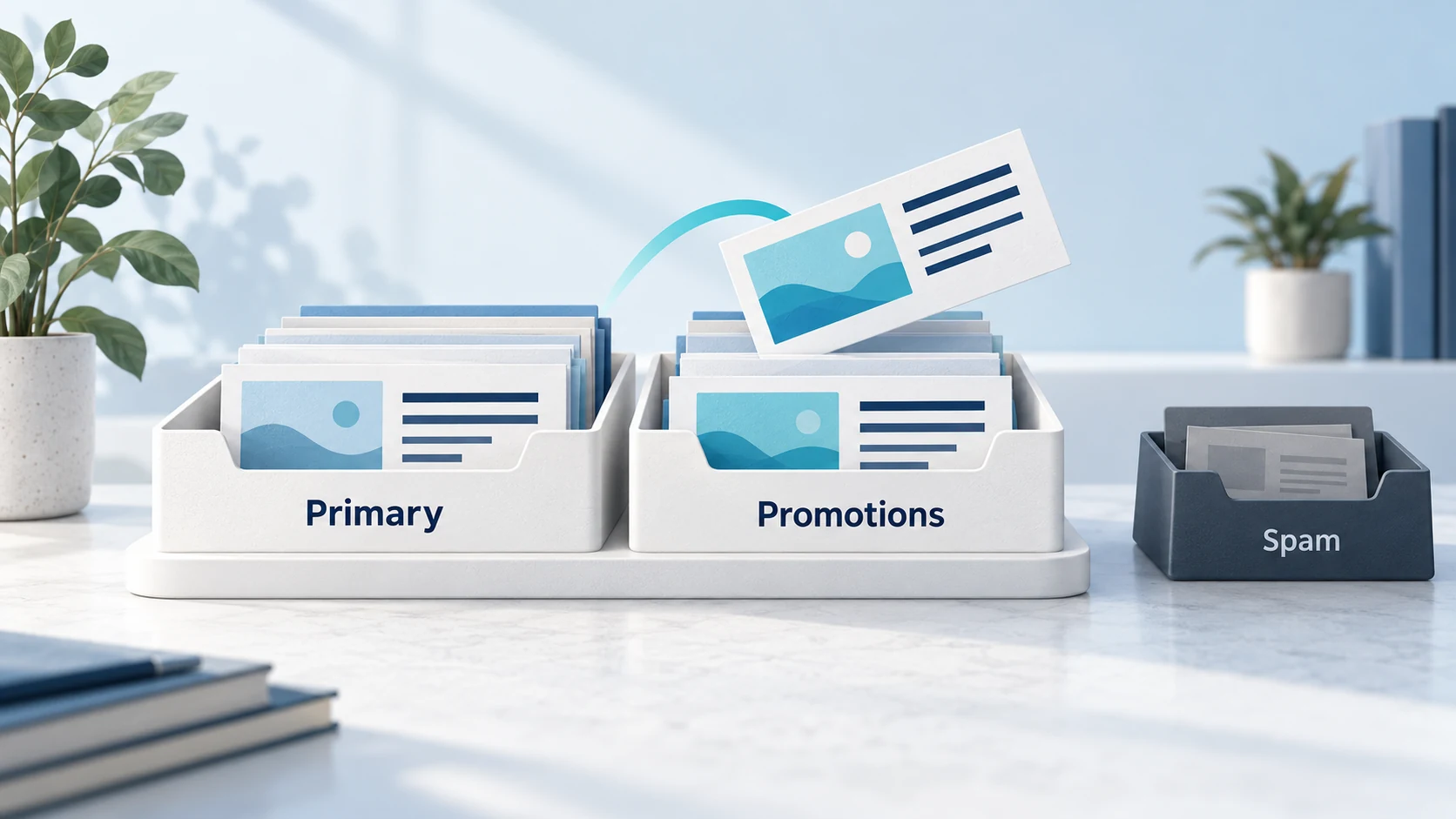
Your newsletter is landing in the Gmail Promotions tab, and you want to know how to get out of the Gmail promotions tab and into Primary, where the "real" emails go.
Before you try any of the tricks you've read about online (stripping images, removing links, writing "reply YES"), here's the thing nobody selling a fix will tell you: Promotions isn't spam.
Your email was delivered. It's in the inbox. It's just been sorted into a tab that Gmail users chose to have, for exactly the kind of email you're sending. Many of those users deliberately check Promotions when they're in a shopping or browsing mood.
So the real questions are: is landing in Promotions actually hurting you? And if it's your invoices or password resets ending up there, rather than your newsletter, what's going wrong?
This guide answers both, and shows you which tactics genuinely help and which ones make things worse.
Promotions vs Spam: Know Which Problem You've Got
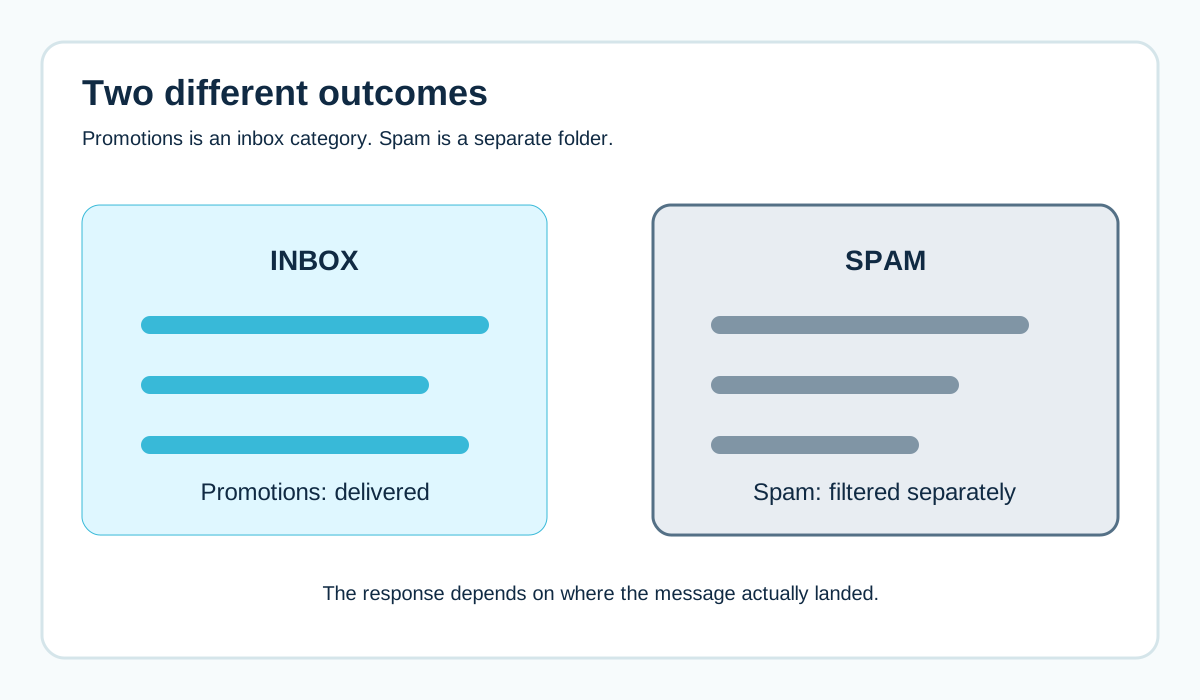
These are completely different outcomes:
- Spam folder: Gmail thinks the email might be unwanted or harmful. Most people never look there. This is a real deliverability problem.
- Promotions tab: Gmail delivered the email to the inbox and categorised it as promotional. The user can see it any time by clicking the tab.
Gmail's inbox can be split into categories: Primary, Social, Promotions, Updates and Forums. Users can turn tabs on or off. Plenty of people use a single inbox with no tabs at all, in which case "Promotions" doesn't exist for them.
If your emails are actually in Spam, start with why business email goes to spam instead.
Is the Promotions Tab Actually Hurting You?
It's tempting to assume Primary is always better. But think about how people use their inbox.
Primary is where people look for messages from colleagues, friends and important accounts. A sales email landing there can feel intrusive. Some recipients react by unsubscribing or marking it as spam, which is far worse for you than sitting in Promotions.
Promotions is where people expect offers and newsletters. Someone browsing that tab is in the right frame of mind for your content.
So before you fight it, look at your own numbers:
- Are clicks and sales from Gmail users noticeably lower than from other providers?
- Are people actually missing time-sensitive messages?
- Are complaints low?
If engagement from Gmail is healthy, Promotions might be doing you no harm at all.
When Promotions Genuinely Is a Problem
There are cases worth fixing:
- Transactional emails landing in Promotions: receipts, invoices, password resets, booking confirmations. People need these, and they may not think to look in a tab.
- Personal one-to-one emails landing in Promotions: a salesperson's genuine reply to a customer getting categorised as marketing.
- Time-critical alerts: things like appointment reminders.
These usually happen when important messages look like marketing, or when they share a sending stream with marketing.
Why Your Invoices Might Be Ending Up in Promotions
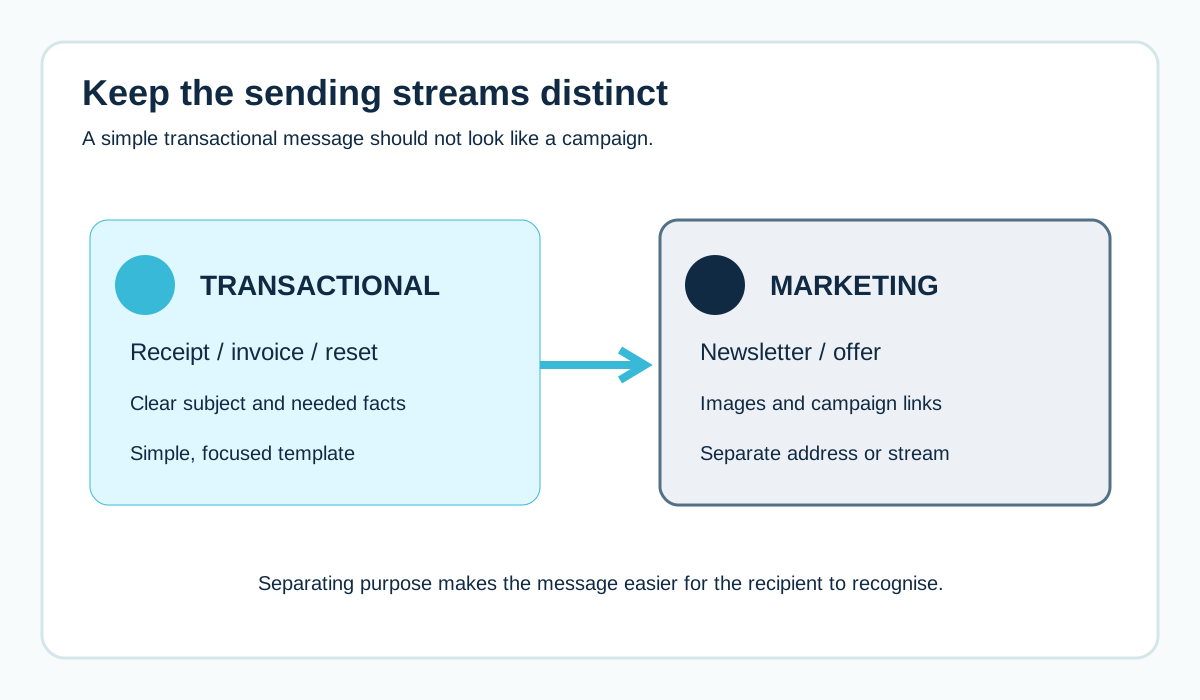
Here's a pattern that causes a lot of grief.
A business sends invoices, order confirmations and newsletters from the same platform, the same address and the same domain, using similar branded templates full of images, banners and "shop now" buttons.
From the outside, they all look alike. So Gmail treats them alike.
Ways to separate them:
- Keep transactional emails simple: clear subject, plain layout, the information the person needs
- Leave promotions out of receipts and invoices ("you might also like..." banners make a receipt look like marketing)
- Send transactional and marketing mail from different addresses, and ideally different streams or subdomains
- Use a sending service or platform setting designed for transactional mail where available
See transactional vs marketing email for the full picture, including the legal side.
The Tricks That Backfire
You'll find plenty of "hacks" online for escaping Promotions. Most range from useless to harmful.
Stripping out all images and links
Your email might look more like a personal message. It also becomes less useful, less recognisable and harder to act on. Readers who don't recognise you are more likely to ignore or report you.
Faking a personal tone
"Hey, quick question..." from a brand that's clearly sending to thousands of people. Recipients notice. Feeling tricked doesn't improve engagement.
Constantly changing the From name or subject style
Inconsistency makes you less recognisable, not more.
Asking everyone to reply
Some guides suggest asking subscribers to reply to boost "engagement signals". A genuine question that people want to answer is fine. A mass "reply YES" demand mostly annoys people.
What Genuinely Helps
Get authentication right
Make sure your emails pass SPF, DKIM and DMARC, with DKIM aligned to your From domain. This doesn't control tabs, but it's the foundation for being trusted at all. See Gmail's sender guidelines.
Send to people who want your email
Engaged subscribers who open, click and reply build a better relationship with Gmail than a large, cold list. Remove people who never engage. See how to remove inactive email subscribers.
Be consistent
Same sender name, same address, a recognisable style and a predictable rhythm. People learn to look for you.
Separate transactional from marketing
As above: clean, focused transactional emails, sent separately from promotions.
Let subscribers choose
Recipients can move your email into Primary themselves (by dragging it, or using the "move to" option) and Gmail may then treat future emails from you similarly for that person. A gentle note in your welcome email ("If you'd like to see these in your main inbox, you can move this email to your Primary tab") is honest and harmless.
How to Check Where Your Emails Land
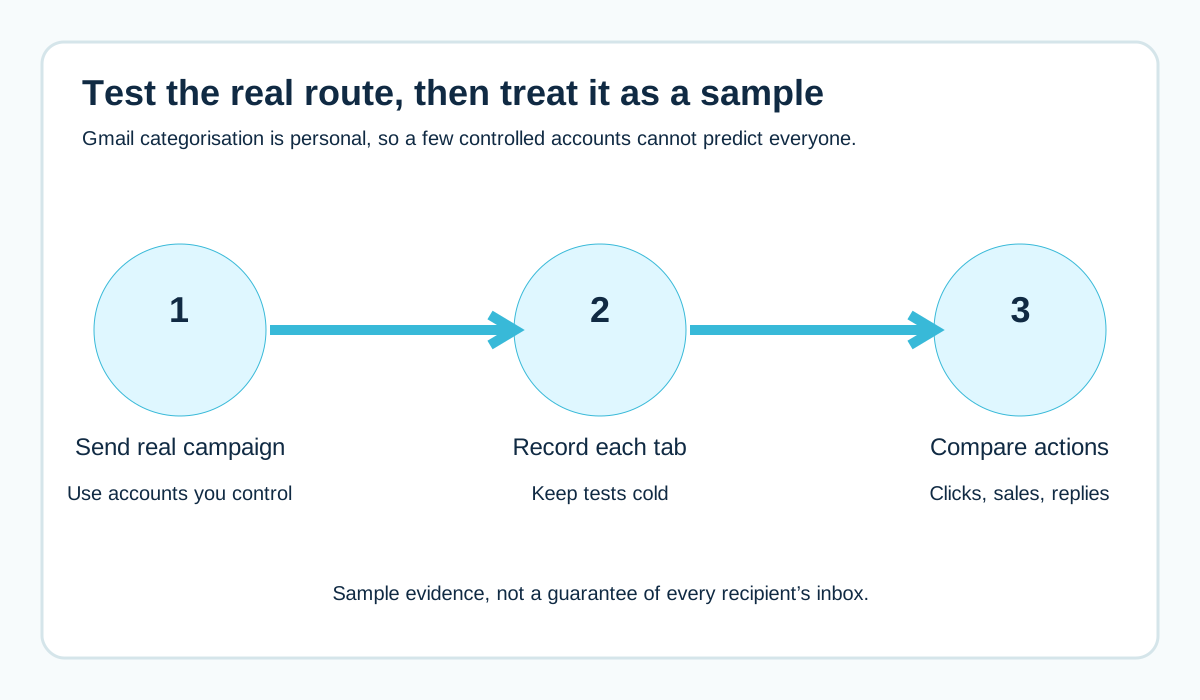
Set up a few Gmail accounts you control, with tabs turned on. Send your real campaign through your real platform.
Record which tab each copy lands in. Then:
- Keep the accounts "cold" (don't open or move your emails), so you see how a stranger's inbox might treat you
- Test transactional and marketing emails separately
- Don't over-read the results from a handful of accounts
Remember that Gmail personalises categorisation to each user's behaviour. Your test accounts show a sample, not a prediction for every subscriber. See inbox placement testing.
Don't Measure Success Purely by Tab
Open rates are a poor guide to tab placement, partly because of privacy features that load images automatically. See why email open rates are inaccurate.
Better measures:
- Clicks and actions (sales, bookings, replies)
- Unsubscribe and complaint rates
- Revenue or leads by provider
- Whether people miss important transactional messages
If those look healthy for Gmail users, Promotions probably isn't your problem.
A Worked Example: The Shop That Fixed the Wrong Thing
A fictional Norwich gift shop notices its weekly newsletter lands in Promotions. They strip out product images and write it as a plain "letter from the owner".
Clicks drop by half. People don't recognise it. Some unsubscribe.
Meanwhile, the actual problem goes unnoticed: their order confirmations, which carry a big "browse our new range" banner, are also landing in Promotions. Customers phone to ask if their order went through.
The fix that worked:
- Bring the newsletter's images and branding back (it was fine in Promotions)
- Remove the marketing banner from order confirmations
- Send order confirmations from orders@ rather than the newsletter's news@ address
- Simplify the confirmation template
Confirmations started showing up where customers expected them. The newsletter recovered.
Should You Send Newsletters From a Subdomain?
Sending marketing from a subdomain like news.yourbusiness.co.uk doesn't control which tab you land in. But it does help keep your marketing reputation separate from your transactional and staff email.
That matters if your newsletter has a bad month. A spike in complaints is less likely to drag your invoices or password resets into trouble.
If you do, set up proper authentication (aligned DKIM, ideally a custom return path) for the subdomain before you start sending. See should you use a subdomain for marketing emails.
How to Measure Whether Promotions Is Costing You
Instead of guessing, compare Gmail recipients with everyone else using your own data. For the last few campaigns, look at:
- Click rate by email provider (Gmail vs Outlook.com vs company domains)
- Conversions or replies by provider
- Unsubscribe and complaint rates by provider
If Gmail users click and buy at broadly similar rates to others, Promotions isn't hurting you meaningfully. If Gmail performance is far lower and your test accounts show you're landing in Promotions (not spam), then it's worth working on engagement and consistency.
Be wary of drawing conclusions from one campaign. Look at several.
Five Questions to Ask Before Redesigning Your Emails
- Are we actually in Promotions, or in Spam? (Spam is the real emergency.)
- Are important transactional emails affected, or just marketing?
- Do Gmail users engage less than others, measured by clicks and actions, not opens?
- Are transactional and marketing emails mixed in the same stream or templates?
- Would the change make our emails less useful or less recognisable to subscribers?
If the answers point to "only marketing is in Promotions, and engagement is fine", leave it alone and spend the time on content your subscribers value.
What Gmail Sees That You Can Influence
You can't see inside Gmail's sorting, but you can control the inputs that matter for trust and relevance:
- Who you send to (people who asked for your email)
- What you send (what you promised when they signed up)
- How consistently you send (same sender, recognisable style, steady rhythm)
- How easy it is to leave (a visible unsubscribe link and one-click unsubscribe for bulk senders)
- Whether your authentication is solid and aligned
Those same inputs also keep you out of the spam folder, which matters far more than which tab you're in.
Why Some Senders Land in Primary (and Why Copying Them Won't Work)
You might notice a few brands' newsletters land in your Primary tab while yours don't. It's tempting to copy their layout, subject lines or tone.
But Gmail personalises categorisation to each user. If you've opened, replied to or moved that brand's emails before, Gmail learns your preference. Another person might see the same newsletter in Promotions.
In other words, what you see in your own inbox reflects your behaviour, not a universal trick. Copying a brand's template won't copy their relationship with you.
The Real Goal: Being Expected, Not Being in Primary
The emails people genuinely look forward to tend to perform well wherever they land. They're:
- From a sender people recognise immediately
- About something people actually signed up for
- Sent at a rhythm people expect
- Useful, interesting or valuable on their own terms
If you nail that, subscribers will find you in Promotions, and some will move you to Primary themselves. Chasing the tab without nailing the content rarely works for long.
Quick Checklist: Promotions Tab
[ ] Confirmed emails are in Promotions, not Spam
[ ] Transactional emails tested separately from marketing
[ ] Marketing content removed from receipts and confirmations
[ ] Different From addresses for transactional and marketing
[ ] Authentication passes and aligns
[ ] Gmail engagement compared with other providers (clicks, sales)
[ ] Inactive subscribers reviewed
[ ] Welcome email includes an optional "move us to Primary" tip
Frequently Asked Questions
Is the Gmail Promotions tab the same as spam?
No. Promotions is part of the inbox. Spam is a separate folder for messages Gmail thinks are unwanted or dangerous.
How do I get my newsletter into the Primary tab?
You can't control it directly. Focus on sending wanted, consistent email to engaged subscribers. Recipients can move your messages to Primary themselves, which can influence future emails for them.
Why are my order confirmations going to Promotions?
Often because they look like marketing (images, banners, offers) or share a sending stream with marketing emails. Keep transactional emails simple and separate.
Does every Gmail user have a Promotions tab?
No. Users can turn tabs off and use a single inbox.
Should I tell subscribers to move my emails to Primary?
A gentle, optional suggestion is fine. Pressuring or repeatedly asking tends to annoy people.
Does the Promotions tab affect my sender reputation?
Landing in Promotions isn't a penalty. Your reputation is shaped by things like complaints, engagement and authentication, not by which tab Gmail chooses.
Will removing images get me into Primary?
It might change categorisation for some users, but it often makes emails less recognisable and less useful. Focus on relevance and separating transactional from marketing emails instead.
Can I see which tab my emails landed in for real subscribers?
Not directly. You can test with your own Gmail accounts, but each user's categorisation is personalised.
Do Outlook and other providers have tabs too?
Some email apps have their own sorting features (Outlook, for example, can sort mail into "Focused" and "Other"). The same principles apply: these are sorting features, not spam folders.
Should I send transactional emails from a separate platform?
It can help as you grow. At minimum, use a separate address and simple templates, and keep marketing content out of transactional emails.
Can I test whether my email goes to Promotions before sending?
Yes. Send your real campaign to a few Gmail accounts you control, with tabs enabled, and see where it lands. Treat it as a sample, not a guarantee.
Is the Promotions tab bad for B2B emails?
Many B2B recipients use work email systems without Gmail tabs, so it may matter less. For B2B audiences on personal Gmail accounts, the same principles apply: relevance and consistency matter most.
What's the difference between Promotions and Updates?
Updates is typically used for notifications like receipts, statements and confirmations. Promotions is for offers and marketing. Simple, focused transactional emails are more likely to be treated as updates than as promotions.
Will BIMI get me out of Promotions?
No. BIMI can show your logo next to authenticated emails in supporting inboxes, but it doesn't control which tab you land in.
Does replying to a newsletter move it into Primary?
It can nudge Gmail's view of how you and that reader interact, but there's no guarantee. Treat replies as a sign of a real relationship, not as a trick to change tabs.
Sources and further reading
Related reading
- Transactional vs marketing email
- Inbox placement testing
- Why email open rates are inaccurate