The Best Email Deliverability Tools for Small Businesses: How to Investigate Why Your Emails Aren't Reaching Customers
Last reviewed: 13 October 2026
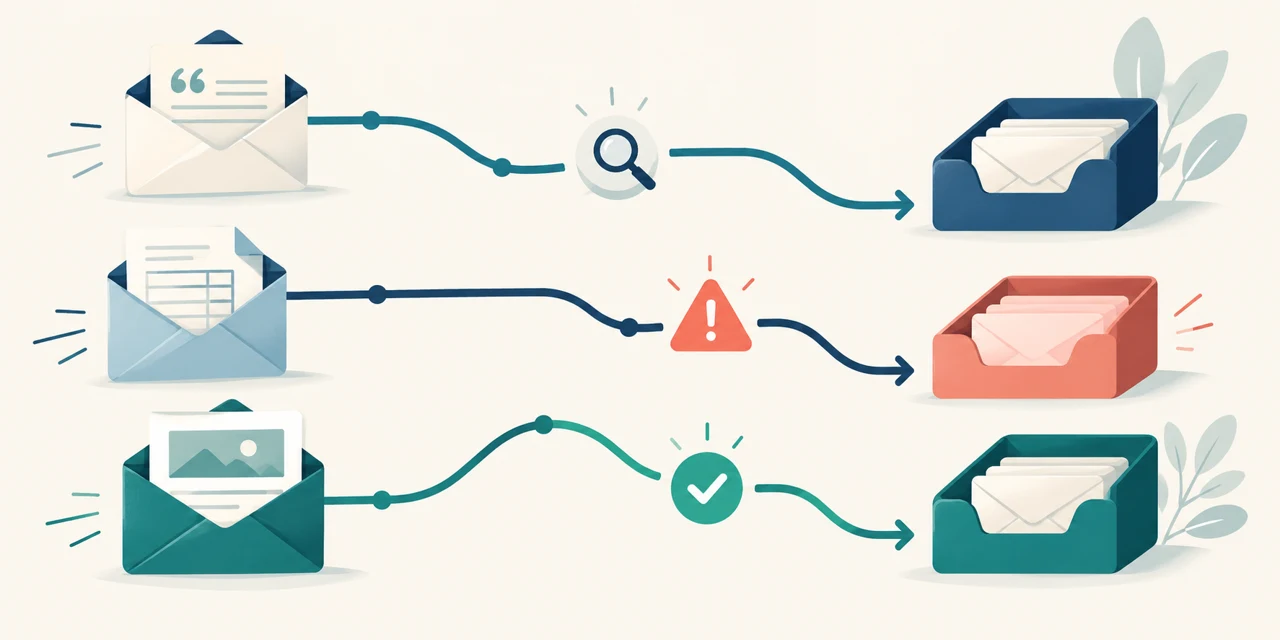
Imagine having useful evidence about where a representative email lands in test mailboxes. Seeing which tested providers put it in the inbox or spam, and which sending settings deserve a closer look.
That is the kind of visibility email deliverability tools can provide. This guide explains our preferred choice for investigating business email, the alternatives, and how to start a useful test. It cannot tell you where every real customer's message ended up.
But first, imagine the following week in a small business.
The Quote That Vanished Into Thin Air
It's Monday afternoon. You've spent an hour on a proposal. You've checked the price twice, attached the PDF and sent it to a customer who asked for it.
Tuesday: nothing.
Wednesday: still nothing.
You start writing stories in your head. They've gone with someone cheaper. They thought the price was cheeky. They're just busy. You send a polite follow-up, trying very hard not to sound needy.
Then on Thursday, the phone rings.
"Hiya, could you send that quote over? We never got it."
You open your Sent folder. There it is. Right address. Right attachment. Sent on Monday at 3:42pm.
So where did it go?
Here's the bit that stings. Your Sent folder only proves you pressed send. It tells you nothing about what happened next. The email could have been rejected, quietly quarantined by their IT system, dumped in junk, or delivered to an inbox nobody checks.
Each of those has a completely different fix. And right now, you have no idea which one you're dealing with.
Then the Invoice Went Missing Too (and the Panic Set In)
Two days later, you chase an overdue payment. The reply: "Sorry, we never received an invoice."
Now it's not a one-off. Now your stomach drops a little.
Are other customers missing emails? How long has this been going on? Is it your domain? Is someone going to tell you your business email is "broken"?
So you start digging, and you realise something you'd never really thought about.
Your quote went from your normal mailbox. Your invoice went from your accounting software. Your newsletter goes from a marketing platform. Your booking confirmations come from somewhere else again.
They all say your business name. But behind the scenes, they're four different systems, each sending email on your behalf in its own way.
So when someone tells you to "check your SPF", the obvious question is: check it for which one?
The "Fix" That Worked Until It Didn't
You get some help. Someone changes a DNS setting. Your marketing platform tweaks something. You send yourself a test email.
It lands in your inbox. Phew.
Then, a week later, a customer forwards your newsletter with a note: "This was in my spam folder, by the way."
That's the most frustrating feeling of all. You thought you'd fixed it. You checked. But one test email to your own inbox doesn't tell you much. Your mailbox knows you. Your customers' mailboxes have their own rules, their own history and their own security settings.
What you really need isn't one reassuring test. It's a way to check properly, repeat the check after every change, and see whether things are genuinely getting better.

What Actually Solves All Three Problems
Look at those three problems together and a pattern appears. None of them is really about writing better emails. They're all about visibility.
You need to:
- See where a real email lands across Gmail, Outlook, Microsoft 365, Yahoo and the other providers your customers use
- See which of your sending tools is using your domain, and whether each one is properly set up
- Re-run the same check after a change, and watch for new problems before customers notice
That's the job. So that's what we judged these tools on.
We looked at three of the best-known email deliverability tools that small businesses come across: GlockApps, MailReach and TrulyInbox. All three are genuinely useful. But they're built for slightly different jobs, and for the problems above, one stands clearly ahead.
How We Scored Them (So You Can Judge Our Judgement)
Each tool gets a score out of 10, based on how well it fits the three problems above for a typical UK small business. These are our editorial ratings, based on each tool's documented features, pricing and how it's designed to be used. These are subjective editorial fit ratings, not lab measurements of accuracy. The decimal scores are not independently measured performance statistics.
We weighed five things:
- Inbox placement testing: can it show where a real email lands, provider by provider?
- Finding the culprit: can it help you work out which tool or setup is responsible?
- Ongoing monitoring: can it re-test and alert you when something changes?
- Flexible buying: can a small business pay for what it needs, without a big commitment?
- Fit for the problem: is diagnosing missing business email what it's built for?
#1 GlockApps: Our Clear First Pick for Investigating Business Email
 GlockApps
- Best for: small businesses investigating placement and authentication
- Inbox placement tests across a wide range of mailbox providers
- DMARC Analytics shows sending sources visible in received reports
- Automatic tests and monitoring to catch problems early
- Flexible: a free starting point plus pay-as-you-go test credits
GlockApps is our first pick for this brief because its placement testing, dedicated DMARC reporting and infrastructure monitoring form a useful diagnostic kit. MailReach also supports testing and monitoring; our preference is based on the combination's fit for this investigation, not exclusive capabilities or a measured accuracy advantage.
It Tests a Representative Message Through the Relevant Service
GlockApps' inbox placement testing (called Inbox Insight) works like this. You send a normal-looking test email, through the same system you use for real, to a list of test mailboxes at different email providers. GlockApps then shows you where it landed in each one: inbox, spam, Promotions tab or missing.
Suddenly "I don't know where it went" becomes something you can actually see.
Maybe your email sails into Gmail but lands in junk at Microsoft 365. That one finding changes everything, because if most of your customers are businesses on Microsoft 365, you now know exactly where to focus.
Alongside placement, the report includes spam filter results, authentication checks and content and link checks. So you get clues about why, not just where.
It Helps You Investigate Which Sending Service Needs Attention
This is the part that puts GlockApps clearly ahead.
Its DMARC Analytics tool turns reports from participating receivers into readable information about sending sources and authentication outcomes. Depending on the reports received, you may see your mailbox platform, accounting service, newsletter platform or unfamiliar sources. This is not a complete inventory of every email or service using the domain.
And you can see which ones are passing authentication and which ones are failing.
Remember the missing invoice? This is how you'd spot that your accounting software isn't properly set up to send as your domain, while your normal email is fine. No guessing. No "check your SPF" without knowing what that means for you.
It Supports Repeatable Checks After a Change
With GlockApps, you can schedule automatic tests to run regularly and get alerts if results change. Its Uptime Monitor keeps an eye on your email records and blocklists in the background.
So after a fix, you're not relying on one test to your own inbox. You re-run the same test through the same tool, compare the results, and keep watching.
That gives you comparable observations over time, rather than relying on one reassuring test. It does not guarantee the problem will never return.
One tip: automatic tests use credits each time they run, so pick a schedule that matches how often you actually send important email. Choose the frequency around the importance of the messages, how often the setup changes and the credits available.
It Gets Your IT Person Moving
If someone else looks after your email, a GlockApps report is gold. Instead of "customers say they're not getting our emails", you can hand over evidence: which email, which sending service, which providers, which checks failed.
Specific evidence can make a support conversation more focused. It does not establish how quickly the underlying issue will be resolved.
You Can Start Small
You don't have to commit to a big plan to find out if it helps. GlockApps offers a free starting option with a couple of spam tests, and pay-as-you-go test credits if you only need to check things occasionally. Paid plans add more tests, DMARC monitoring and automation.
At the time of our review, the annual plans worked out at around $59, $99 and $129 a month (billed yearly), with smaller credit packs available for occasional use. Prices and allowances change, so check the current offer before you buy, and read the billing terms carefully if you choose an annual plan.
See GlockApps' current plans and free test
The Honest Bit: What GlockApps Won't Do
We'd rather you buy with your eyes open:
- It finds problems. It doesn't fix them for you. Someone still needs to make the changes.
- Test mailboxes are a strong guide, not a perfect copy of every customer's inbox.
- If a bounce message already tells you the address doesn't exist, you don't need a tool. Fix the address.
- Use a fictional, non-sensitive test email, not a real customer's invoice.
None of that changes our verdict. For a small business trying to work out why emails aren't arriving, GlockApps is the tool we'd start with.
For a deeper look at every feature and price, read our full GlockApps review.
#2 MailReach: A Strong Runner-Up, Especially for Sales Teams
 MailReach
- Best for: outbound and sales teams who want testing and warm-up together
- Solid inbox placement testing with useful business vs personal inbox scores
- Recurring automated tests through a connected account
- Warm-up included in its all-in-one option
MailReach is a genuinely good tool, and it's not just a warm-up service with a score bolted on.
Its spam test is well designed. One feature we particularly like: it splits results into a "professional" score (Google Workspace and Microsoft 365) and a "personal" score (Gmail.com, Outlook.com, Hotmail). If you mainly email businesses, or mainly consumers, that split helps you focus on the results that matter to you.
It also supports scheduled, automatic tests through a connected sending account, and offers warm-up as part of its all-in-one package.
Why It's Second, Not First
MailReach leans towards outbound sales teams sending cold email from multiple mailboxes. That's a perfectly good job to be built for, but it's not quite the job in our story.
For a small business with missing quotes, invoices and newsletters, GlockApps' dedicated DMARC Analytics and monitoring give a fuller picture of which of your tools is at fault. That's what gives it the edge for this particular problem.
If you run a sales team and warm-up is high on your list, MailReach is well worth a look.
#3 TrulyInbox: The Specialist Pick When Warm-Up Is the Job
 TrulyInbox
- Best for: teams that specifically want email warm-up across many mailboxes
- Connects Google, Microsoft and SMTP accounts
- Pricing based on warm-up volume, with many connected accounts allowed
- Provider-level reporting and a deliverability score
TrulyInbox does one main thing, and it focuses on it: email warm-up. You connect your mailboxes, and it gradually builds up activity on them while reporting on how things are going.
Its pricing is worth noting if you have lots of mailboxes. Rather than charging per inbox, its current plans are based on warm-up volume, with many connected accounts allowed within your daily allowance.
Why It's Third Here
Warm-up and diagnosis are different jobs. Warm-up adds activity to your mailboxes. It doesn't tell you why your invoice software is failing authentication, or where a specific quote went.
So for the three problems in our story, TrulyInbox simply isn't the right first step. If you've already diagnosed your setup and decided warm-up is what you need, it becomes a much stronger contender.
One thing to check: warm-up tools need access to send and receive from your mailbox, so read the permissions and make sure your email provider's terms allow it before connecting an account.
Side by Side: How the Three Compare
| Comparison | GlockApps | MailReach | TrulyInbox |
|---|---|---|---|
| Our score | 9.4 / 10 | 8.6 / 10 | 7.8 / 10 |
| Best for | Investigating business-email delivery problems | Sales teams wanting testing plus warm-up | Dedicated warm-up across many mailboxes |
| Inbox placement testing | Yes, across many providers | Yes, with business vs personal scores | Warm-up reporting, not a placement test of your real email |
| Domain-wide visibility (DMARC) | Yes, dedicated DMARC Analytics | Authentication checks in tests | Not its focus |
| Ongoing monitoring | Automatic tests, alerts, Uptime Monitor | Automatic recurring tests | Warm-up tracking over time |
| Easy way to start | Free option plus pay-as-you-go credits | Standalone tests or all-in-one plan | Free option and trials advertised |
| Our verdict | Clear #1 | Strong runner-up | Specialist pick |
So, Which Should You Choose?
Go back to that Thursday phone call. The quote that vanished. The invoice that never arrived. The fix that only lasted a week.
What you wanted all along wasn't another email tool. It was an answer. Where are my emails going, which of my tools is causing it, and how do I know when it's fixed?
GlockApps provides useful evidence for those questions, which is why it is our clear first pick for this investigation brief. A definitive explanation of an individual missing message may still require sending logs and the recipient's administrator.
- Choose GlockApps if you want to find out why your business emails aren't reaching customers, and keep checking once it's fixed.
- Choose MailReach if you run outbound sales and want placement testing and warm-up together.
- Choose TrulyInbox if you've already diagnosed your setup and specifically need warm-up for lots of mailboxes.
Start with GlockApps' free spam test
Getting Started With a Useful GlockApps Test
Here's how to get a useful answer from your very first test, instead of a confusing dashboard:
- Pick ONE email that's causing trouble (a quote, an invoice or a newsletter)
- Write a fictional version of it, with no real customer details
- Send the test through the SAME system the real one uses (your mailbox, your invoicing tool or your newsletter platform)
- Look at results provider by provider, starting with the ones your customers use most
- Check the authentication results (SPF, DKIM, DMARC) for that sending tool
- Save the report and share it with whoever manages your email
- After any fix, run the same test again and compare
That last step creates a useful comparison after a change. Continue checking real recipient evidence too; a better test result is not a guarantee against future problems.
Frequently Asked Questions
What is the best email deliverability tool for a small business?
For finding out why emails aren't reaching customers, we rate GlockApps as the best overall, scoring 9.4 out of 10. It combines inbox placement testing, DMARC reporting and ongoing monitoring in one place.
Can GlockApps tell me why my emails are going to spam?
It gives you strong clues: where the email landed at each provider, whether authentication passed, and what spam filters and content checks flagged. Those findings can narrow the investigation, but may not identify one definitive cause; someone still needs to interpret the evidence and make any authorised changes.
Is GlockApps free?
GlockApps offers a free starting option with a small number of spam tests, plus paid plans and pay-as-you-go credits. Check the current allowances on its website.
What's the difference between GlockApps and MailReach?
Both offer good inbox placement testing. GlockApps adds dedicated DMARC Analytics and monitoring, which makes it stronger for diagnosing business email problems. MailReach is a great fit for sales teams who also want warm-up.
Do I need an email warm-up tool like TrulyInbox?
Not usually as a first step. Warm-up is most useful for new domains or mailboxes used for outbound sales. If your existing emails are going missing, diagnose the cause first.
Will these tools guarantee my emails reach the inbox?
No tool can guarantee that. What the right tool gives you is evidence, so you fix the real problem instead of guessing.