
A deliverability checker flags "missing PTR record" or "reverse DNS mismatch". You log in to your DNS provider to fix it, look for the PTR option, and either can't find it or add one that makes no difference.
There's a good reason for that. And it's the single most useful thing to understand about PTR records: in most cases, you can't set your sending server's PTR record in your own domain's DNS at all.
So what is a PTR record for email, why do mailbox providers care about it, and who actually controls it? This guide explains reverse DNS in plain English, shows you how to check it in thirty seconds, and helps you work out whether it's a problem you need to solve, or one your email provider already handles for you.
Normal DNS vs Reverse DNS
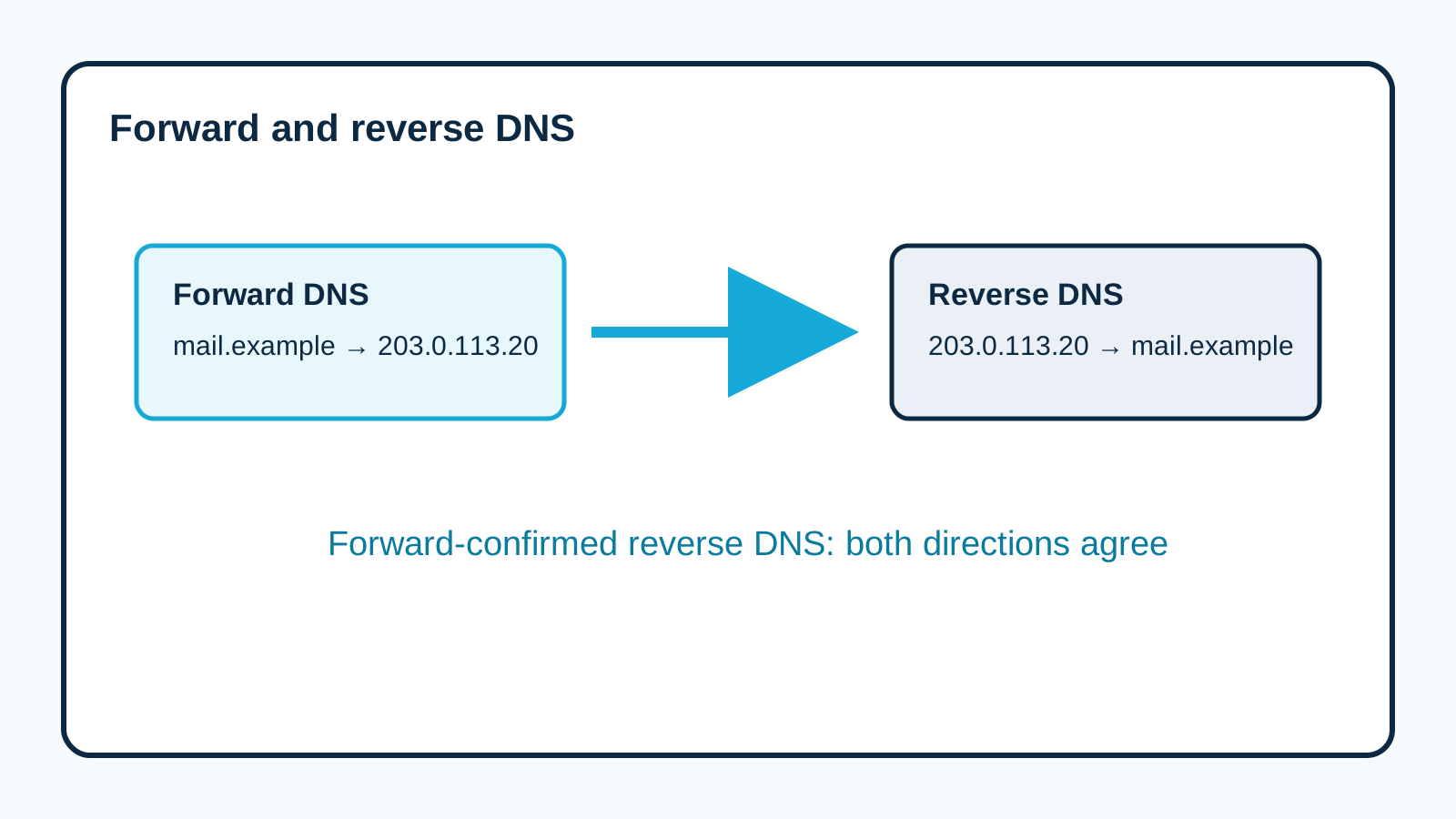
Normal ("forward") DNS answers the question: "What's the IP address for this name?"
mail.yourprovider.example → 203.0.113.20Reverse DNS answers the opposite question: "What's the name for this IP address?"
203.0.113.20 → mail.yourprovider.exampleThat reverse answer comes from a PTR (pointer) record.
When a mail server connects to deliver an email, the receiving server can see its IP address. It can then look up the PTR record to see what name that IP claims to have.
Why Mailbox Providers Check Reverse DNS
Legitimate mail servers are usually set up properly, with a sensible name pointing to their IP and the IP pointing back to that name. Many compromised home computers and hastily set up spam servers aren't.
So reverse DNS acts as a basic sign of a properly run mail server.
Google's sender guidelines say all senders to personal Gmail accounts should have valid forward and reverse DNS for their sending servers. Yahoo's sender best practices say the same.
Forward-Confirmed Reverse DNS: The Round Trip
The gold standard is called forward-confirmed reverse DNS. It's a round trip:
- The IP address has a PTR record pointing to a name
- That name has a forward record pointing back to the same IP
203.0.113.20  →  PTR  →  mail.yourprovider.example
mail.yourprovider.example  →  A  →  203.0.113.20   (matches)
If the round trip doesn't match, or there's no PTR record at all, some receivers treat the server as less trustworthy.
The Aha Moment: PTR Records Belong to Whoever Owns the IP
Here's what catches people out.
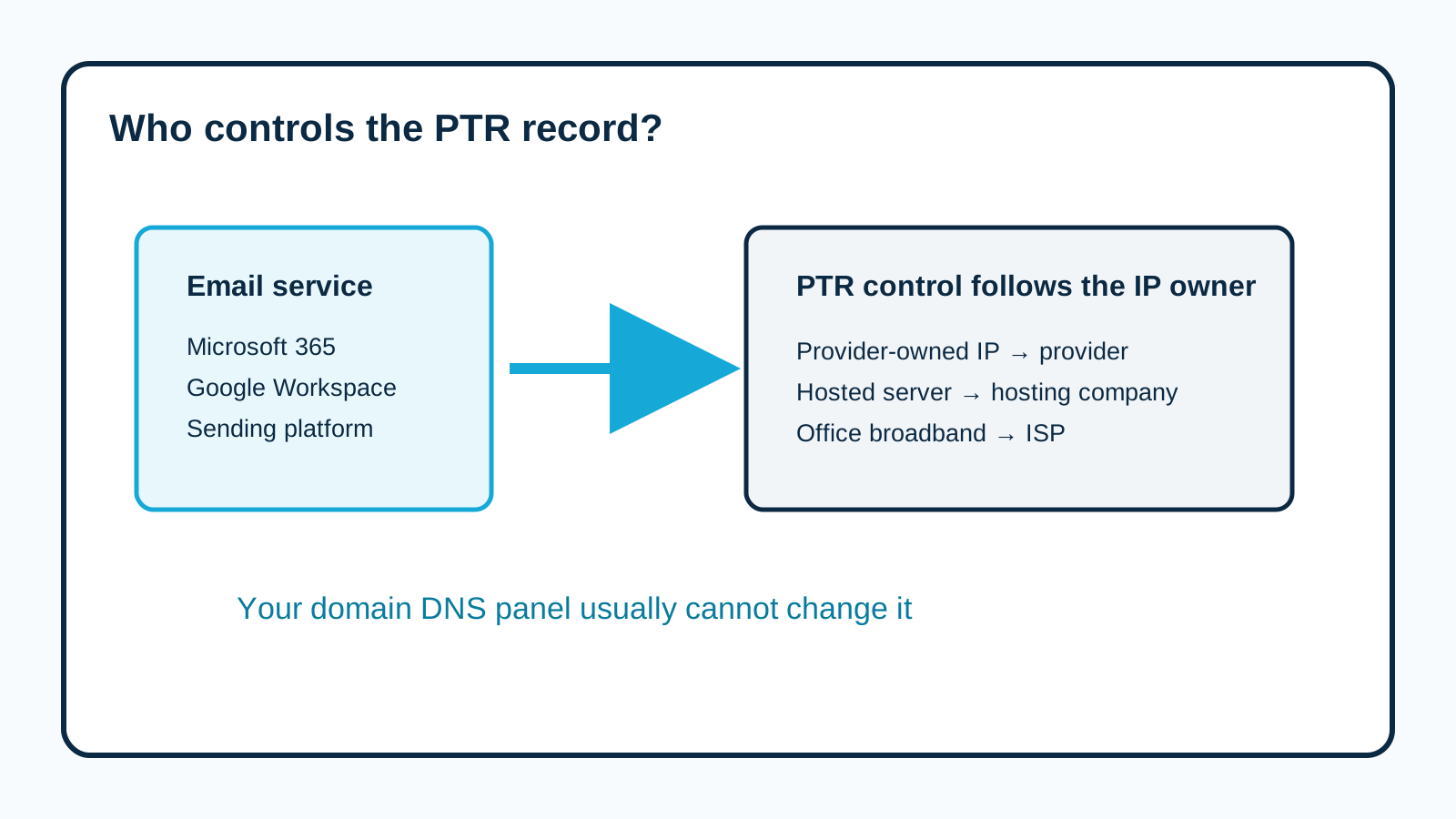
Your domain's DNS (yourbusiness.co.uk) controls names under your domain. But PTR records live in a special part of DNS tied to IP addresses, and that's controlled by whoever owns the IP address block.
So:
- If you send through Microsoft 365, Google Workspace or an email marketing platform, the sending IPs belong to them, and they set the PTR records
- If you run your own mail server on a hosting company's server, the hosting company (or whoever owns the IP) controls the PTR
- If you send from your office internet connection, your internet provider controls it
You can't usually create a PTR record for your sending IP in your own DNS panel. Even if your panel has a "PTR" option, it's normally for IP ranges you've been delegated, which most small businesses haven't.
How to Check Reverse DNS in Thirty Seconds
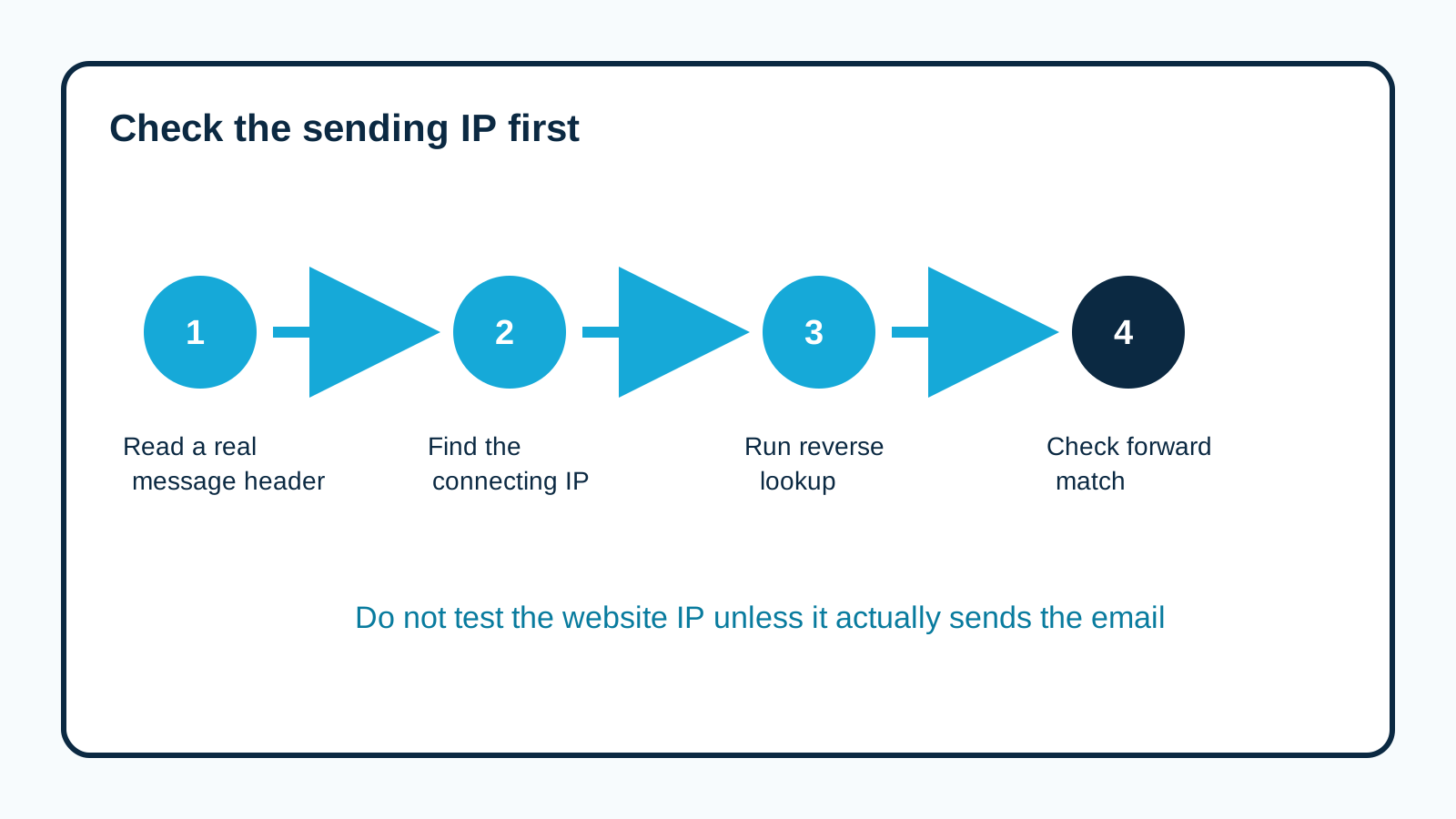
First, find the IP address that actually sent your email. Open a received email's full header and look at the Received line added by the receiving server, which shows the connecting IP. (Or check your sending platform's logs.)
Then look it up:
dig +short -x 203.0.113.20On Windows:
nslookup 203.0.113.20You should get back a hostname. Then check that hostname points back to the same IP:
dig +short A mail.yourprovider.exampleIf both directions match, you've got forward-confirmed reverse DNS.
Make Sure You're Checking the Right IP
A very common mistake: checking reverse DNS for your website's IP address, or your office's IP, when your email actually goes out through Microsoft, Google or a sending platform.
Your website server's reverse DNS doesn't matter for email if the website doesn't send your email.
So always start from a real email header. Find the IP that connected to the receiver. That's the one that matters.
How to read email headers shows you where to look.
When Reverse DNS Is Genuinely Your Problem
You do need to deal with PTR yourself if:
- You run your own mail server (on a virtual private server, dedicated server or in-house)
- You have a dedicated sending IP with a provider that lets you choose its PTR name
- Your website or application sends email directly from a server you rent
In those cases:
- Choose a sensible hostname for the server, like mail.yourbusiness.co.uk
- Create a forward (A) record in your DNS pointing that name to the server's IP
- Ask whoever owns the IP (your hosting company, usually through its control panel or support) to set the PTR record to that hostname
- Make sure the server introduces itself (its HELO or EHLO name) using the same hostname
- Check the round trip matches
What Happens Without Proper Reverse DNS?
It varies by receiver:
- Some reject the connection outright
- Some accept the email but treat it with more suspicion
- Some are more relaxed
Since major providers like Gmail and Yahoo include valid forward and reverse DNS in their published sender requirements, it's not something to leave broken if you control it.
Reverse DNS Is One Piece, Not the Whole Puzzle
A perfect PTR record doesn't make your email trustworthy on its own. Receivers also look at:
- SPF, DKIM and DMARC (see SPF vs DKIM explained)
- Encryption in transit (TLS)
- Your sending reputation
- Whether recipients want your mail
Think of reverse DNS as a basic entry requirement, like having a proper business address. Necessary, but nobody trusts you just because you have one.
A Worked Example: The Website That Sent Its Own Email
A fictional York bed and breakfast runs its booking system on a rented server. Booking confirmations go to spam at several providers.
A test confirmation's header shows it was sent directly from the server's IP. A reverse lookup on that IP returns a generic hosting name like "vps-12345.hostingco.example", which doesn't match anything the server uses to introduce itself.
Rather than fixing PTR on the server, they reconfigure the booking system to send through an authenticated email service instead. That service has proper reverse DNS, SPF and DKIM already set up. They configure custom DKIM for their domain.
Booking confirmations start landing in the inbox. They avoided running their own mail server entirely, which for most small businesses is the simplest fix. See how to authenticate email sent by your website.
Should a Small Business Run Its Own Mail Server?
Usually not. Running your own mail server means taking responsibility for reverse DNS, encryption, security updates, spam filtering, blocklist monitoring and reputation, all of which providers like Microsoft and Google handle at scale.
If you're currently sending directly from a server and having delivery problems, routing that email through an established, authenticated service is often far easier than fixing every piece yourself.
HELO Names: The Other Half of the Introduction
When a mail server connects to deliver email, it introduces itself with a name, using a command called HELO or EHLO. Receiving servers can compare that name with the server's reverse DNS.
A tidy setup looks like this:
Server introduces itself as:   mail.yourbusiness.co.uk
Reverse DNS for its IP:        mail.yourbusiness.co.uk
Forward DNS for that name:     points back to the same IP
Everything lines up. That's what a well-run mail server looks like.
A messy setup might introduce itself as "localhost" or a random internal name, with a generic hosting PTR that doesn't match anything. That combination looks much more like a compromised or careless server.
If you run your own server, make sure all three line up. If you don't, your provider handles this for you.
Reverse DNS for IPv6
Many mail servers now send over IPv6 as well as IPv4. The same principles apply: an IPv6 sending address should also have a PTR record that matches its forward DNS.
Some receivers are stricter about IPv6 sending. If you run your own mail server and it sends over IPv6, check reverse DNS for that address too, not just your IPv4 address.
Why Checkers Sometimes Get It Wrong
Online deliverability checkers often test reverse DNS for:
- The IPs your domain's MX records point to (your incoming servers)
- Your website's IP address
- An IP guessed from your SPF record
None of those is necessarily the IP that sends your email. So a "reverse DNS failed" warning might be about a server that never sends anything.
Always confirm with the IP from a real received email header before acting on a checker's warning.
Quick Reverse DNS Checklist
[ ] Found the sending IP from a real email header
[ ] Reverse lookup returns a hostname
[ ] That hostname's forward lookup returns the same IP
[ ] (Own servers) HELO/EHLO name matches the hostname
[ ] (Own servers) IPv6 sending address checked too
[ ] (Provider-managed) Confirmed the provider handles PTR
Who to Contact About Reverse DNS (a Cheat Sheet)
The hardest part of fixing reverse DNS is working out who can actually change it. Here's a quick guide:
How you send email                    Who controls the PTR record
Microsoft 365                         Microsoft (already handled)
Google Workspace                      Google (already handled)
Email marketing platform              The platform (already handled)
Your own server at a hosting firm     Your hosting provider
Your own server in your office        Your broadband or business ISP
A cloud server you rent               The cloud provider (often via a
                                      setting in their control panel)
If you're on one of the first three, a reverse DNS warning almost always means a checker looked at the wrong IP, not that you need to do anything.
If you're on one of the last three, contact them and ask: "Please set the PTR record for IP address X to mail.yourdomain.co.uk." Then make sure mail.yourdomain.co.uk has an A record pointing back to that same IP, so the round trip completes.
Home and Office Broadband: Why Sending Directly Rarely Works
Some small businesses run a printer, an old server or a piece of software that sends email straight from the office internet connection.
That usually goes badly, and reverse DNS is part of the reason. Broadband IP addresses tend to have generic PTR names that look like a home connection (something like a long string of numbers followed by the ISP's name). Many receivers treat mail from addresses like that with suspicion, because that's exactly what infected home computers look like.
Some ISPs also block outgoing email on the standard port entirely.
The fix isn't usually to battle your ISP for a custom PTR record. It's to send through a proper service instead:
- Point the printer or software at Microsoft 365 or Google Workspace's sending options (an authenticated connection or relay)
- Or use a dedicated sending service for automated email
That way, your email leaves from servers with correct reverse DNS, a good reputation and proper authentication.
What a Good Reverse DNS Setup Looks Like
If you do run your own sending server, here's what "healthy" looks like, written as a simple chain:
Sending IP:        203.0.113.25
PTR (reverse):     203.0.113.25  ->  mail.hartleyplumbing.co.uk
A (forward):       mail.hartleyplumbing.co.uk  ->  203.0.113.25
HELO name:         mail.hartleyplumbing.co.uk
SPF:               includes 203.0.113.25 (or ip4:203.0.113.25)
Every line agrees with every other line. The IP says who it is, the name confirms the IP, the server introduces itself with the same name, and SPF says that IP may send for the domain.
When one link in that chain is out of step, filters notice. When they all match, you look like exactly what you are: a properly run mail server.
Reverse DNS After Moving Servers or Hosts
A common trap: a business moves its website or server to a new host, and the email that used to send from the old server now sends from a new IP. The old PTR record was set up years ago by someone who's long gone. The new IP has a generic one.
Suddenly email from the website (contact form notifications, order emails) starts landing in spam or bouncing.
Whenever you move hosts, add "check reverse DNS and SPF for the new sending IP" to the migration checklist. Better still, take the opportunity to move website email onto a proper sending service, so the next move doesn't matter. See how to authenticate email sent by your website.
Frequently Asked Questions
What is a PTR record?
A DNS record that maps an IP address back to a hostname. It's the reverse of a normal A record.
Can I add a PTR record in my domain's DNS?
Usually not for your sending IP. PTR records are controlled by whoever owns the IP address, such as your email provider or hosting company.
Do I need to worry about PTR if I use Microsoft 365 or Google Workspace?
Generally no. They manage reverse DNS for their sending servers.
What is forward-confirmed reverse DNS?
When an IP's PTR record points to a hostname, and that hostname's forward record points back to the same IP.
Why does my checker say reverse DNS is missing?
It may be checking the wrong IP (such as your website server). Check the IP that actually sent your email, from a real message header.
How long does a PTR change take to work?
It depends on the TTL set by whoever controls the IP, but changes often show within hours. Check with a reverse lookup after the provider confirms it's done.
Can one IP have several PTR records?
It's technically possible but usually a bad idea for email. One clear name per sending IP, matching your HELO name, is simplest and most widely trusted.
Does reverse DNS affect email I receive?
Not directly. PTR records matter for the servers that send your email. Incoming mail depends on your MX records and your provider.
Sources and further reading
- Google: Email sender guidelines
- Yahoo Sender Hub: Sender best practices
- RFC 5321: Simple Mail Transfer Protocol
Related reading
- Gmail, Yahoo and Microsoft sender requirements compared
- Dedicated IP vs shared IP for email
- How to authenticate email sent by your website