
Your cold emails used to get replies. Now they don't. Or you've just bought a fresh domain for outreach, and someone told you not to send a single campaign until it's "warmed up". Either way, MailReach has probably popped up in your search results more than once.
This research-based MailReach review draws on MailReach's sales pages, relevant help centre guides, API documentation, terms of use and privacy policy. It is not a hands-on test of a paid MailReach account. It brings that research into one picture: what MailReach actually does, how the warmup and spam test work under the bonnet, what the famous "reputation score" really measures, what it costs, and who should (and shouldn't) pay for it.
There's one thing in particular most MailReach reviews skip, and it's buried in MailReach's own help centre. It changes how you should use the tool entirely. We'll get to it.
MailReach Review: The Short Verdict
MailReach Our rating: 8.6 / 10 Research-based editorial rating, not a measured performance score.
- Best for: B2B teams, founders, agencies and recruiters sending cold or sales email from Google Workspace or Microsoft 365
- Standout strength: warmup and a genuine multi-inbox spam test in one account
- Biggest caveat: a high warmup score doesn't mean your real campaigns reach the inbox (MailReach says so itself)
- Not ideal for: newsletters, B2C and transactional email warmup
MailReach is one of the strongest tools you can buy if you send cold or sales email from business mailboxes. Its warmup is focused on two important B2B providers (Google Workspace and Microsoft 365), its spam test sends your real email to real test inboxes rather than just scanning the text, and both are available in one account.
It's not magic, though. MailReach is refreshingly upfront in its own documentation that warming alone won't save a campaign with poor content, risky links or bad sending habits. The people who get the most out of it are the ones who use both halves: the warmup to monitor warming activity and potentially support reputation, and the spam test to check the actual emails they're about to send.
If that's you, it's well worth trying. If you're mainly sending newsletters to consumers, there are better uses of your money, and MailReach will actually tell you the same.
MailReach Pros and Cons at a Glance
What's genuinely good:
- Warmup network of 30,000+ inboxes, mainly Google Workspace and Office 365
- Spam test sends your real email to real seed inboxes (30+), not just a content scan
- Separate scores for business inboxes and personal inboxes
- A free spam test (up to 3 tests every 24 hours)
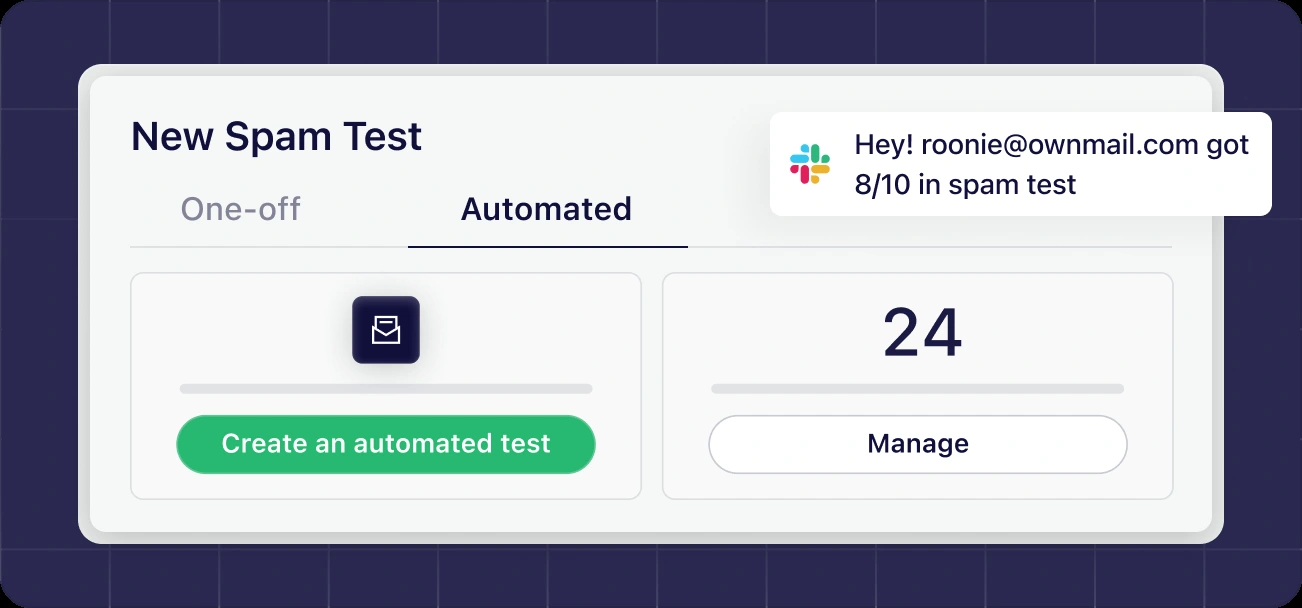
- Automated recurring spam tests with Slack and webhook alerts
- Works with Google, Microsoft and any SMTP provider (SendGrid, Mailgun, Amazon SES, Brevo and more)
- Clear, practical help centre with specific numbers rather than vague advice
- API access is free; warming seats and test credits remain chargeable
What to watch for:
- The reputation score is based on warmup emails, not your campaigns
- Warmup isn't effective for B2C or newsletter email, by MailReach's own admission
- Monthly plans aren't refunded for the unused part of a month
- Some help articles are years old, and one gives risky advice about Google suspensions
- Connecting a whole Google Workspace gives MailReach broad mailbox access, so it needs an admin's careful approval
- The pricing page is a little confusing until you play with the sliders
What Is MailReach, and Who's Behind It?
MailReach is an email deliverability tool built around two products:
- Email Warmer: connects to your mailbox and automatically exchanges emails with a large network of other inboxes to build and protect your sender reputation
- Spam Tester (Spam Checker): shows where a specific email lands (inbox, spam or tabs) across a set of test mailboxes, along with checks on your setup and content
You can buy them together (the All-In-One plan) or buy spam test credits on their own. The site also lists smaller extras: an email verifier, free SPF and DKIM checkers, and a "Co-pilot" that it says analyses your email content and activity and suggests cold outreach best practices.
Behind the brand is a French company. MailReach's terms of use name THE BRAIN COMPANY, a simplified joint stock company registered in Paris, and the contract is governed by French law with disputes going to the courts of Paris. That's worth knowing if you're a UK business: your agreement is with a French company, under French law.
MailReach describes itself as "100% focused on deliverability", and the product reflects that. The reviewed offering centres on warmup and deliverability testing rather than an outreach sequencer or CRM.
How This MailReach Review Was Put Together
Plenty of tool reviews are written from the sales page alone. This one goes further.
The research covers MailReach's product pages, relevant connecting and troubleshooting guides, developer documentation, browser-rendered pricing, terms of use and privacy policy. Where MailReach's own guidance differs from what email providers say, the provider's documentation has been checked too. Public vendor claims are separated from the review's analysis; third-party ratings are not treated as independently verified performance evidence.
Where a number or claim comes from MailReach's marketing, it is identified as such. Where it comes from a help article, I note how old the article is, because some are much older than others, and that matters.
How MailReach Warmup Actually Works (In Plain English)
Let's start with the part most people buy MailReach for.
When you connect a mailbox, MailReach adds it to what it calls a "30,000+ inbox network", made up "primarily of Gmail (Google Workspace) and Outlook (Office 365) accounts". Your mailbox then starts having conversations with those inboxes automatically.
According to MailReach, those conversations involve:
- Your emails being opened
- Your emails being marked as important
- Your emails being pulled out of spam if they land there
- Positive replies coming back to you
The idea is simple. Mailbox providers like Google and Microsoft pay close attention to how people interact with your emails. MailReach's premise is that these positive interactions can support reputation. That does not establish that automated warming guarantees the same response from real prospects or overrides provider policies.
MailReach is keen to stress that it doesn't use canned templates. Its warmup page says the warming emails don't share the same word or code across subject lines, and that Google and Microsoft suggest "smart replies" on them, a sign the conversations read naturally. That matters, because some cheaper warmup tools insert a tracking code into every subject line, which is a pattern filters can learn to spot.
The Ramp-Up: Slow on Purpose
You don't get 100 warmup emails on day one. And that's a good thing.
MailReach's getting-started guide recommends leaving new addresses on the default "Autopilot" mode. Autopilot gradually increases the number of daily warming emails until it reaches around 40 to 50 a day. On day one, seeing just one warming email is normal. The first interaction usually takes between a few seconds and an hour to appear.
The checked sales page advertises "up to 100" warming emails a day. The sales figure and the older help figures use different descriptions of messages and conversations. They do not establish one guaranteed daily volume for every plan or mailbox. More on that later.
Where Do All the Warmup Emails Go?
This is a common worry: will my inbox fill up with strangers' emails?
MailReach says it creates a folder called "To Follow" in Gmail/Google Workspace and Outlook/Office 365 mailboxes, and stores warming emails there. It also says it automatically hides "99%" of received warming emails after a few seconds. The exceptions are things like automatic replies, which it can't always hide.
So in practice, you may occasionally spot a warming email, but most of the activity happens out of sight.
One trap to avoid: if someone in your team sets up a rule that deletes those emails to tidy their inbox, MailReach can't find the replies it needs, and the warmup stops working properly. MailReach's troubleshooting guide is clear here: set any rule to archive warming emails, not delete them.
The MailReach Reputation Score: What It Really Measures
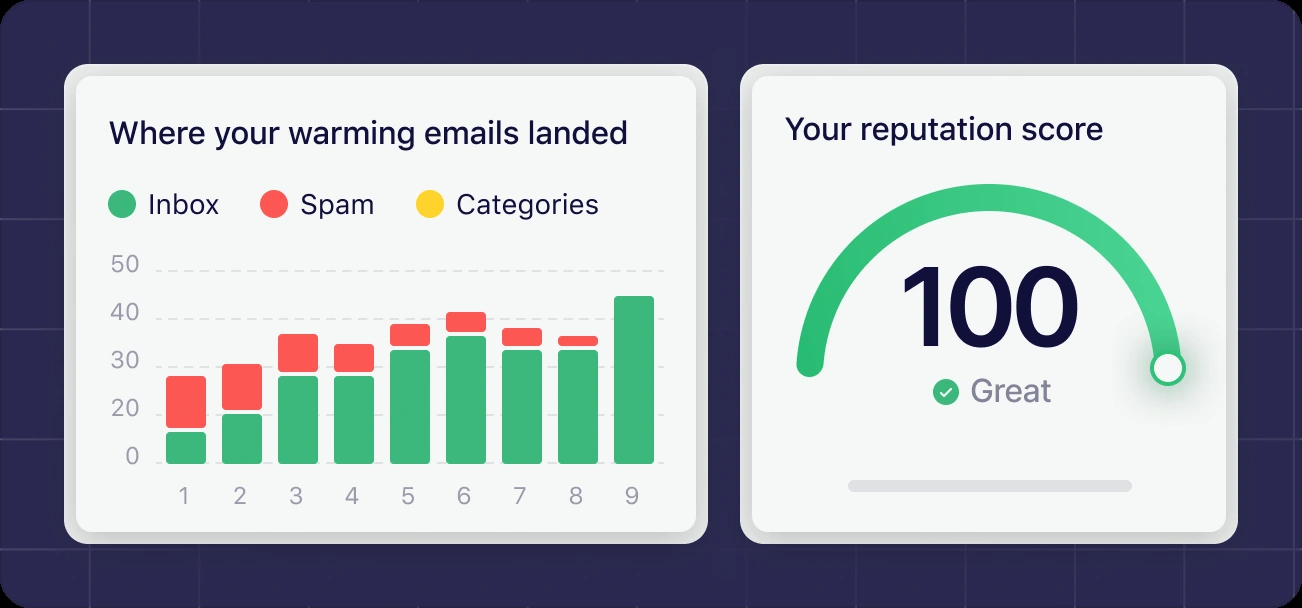
The reputation score is the number everyone stares at in MailReach. It's worth understanding exactly what goes into it, because it's easy to read too much into a green 95.
According to MailReach's "highest reputation score" guide (updated May 2025):
- The score is based on where MailReach's warming emails land
- Those warming emails contain no links, no images, no tracking, no attachments and no spam words
- Recent days count more than older ones
- Landing in Google Workspace or Office 365 inboxes counts for more than landing at smaller providers
You first receive a score 72 hours after connecting an address. Small daily wobbles are normal. A large, sudden drop is a sign something has gone wrong with your sending.
MailReach's guidance gives you a rough scale. A score of 95 or above suggests your sending volume is fine. Below 60 is in the red, and MailReach points you to its reputation restoration guide.
The Catch Most MailReach Reviews Miss
Read that list again. The warming emails have no links, no images, no tracking and no risky words.
Your real campaign almost certainly has at least some of those. Tracked links. A logo. A booking link. An unsubscribe link with tracking.
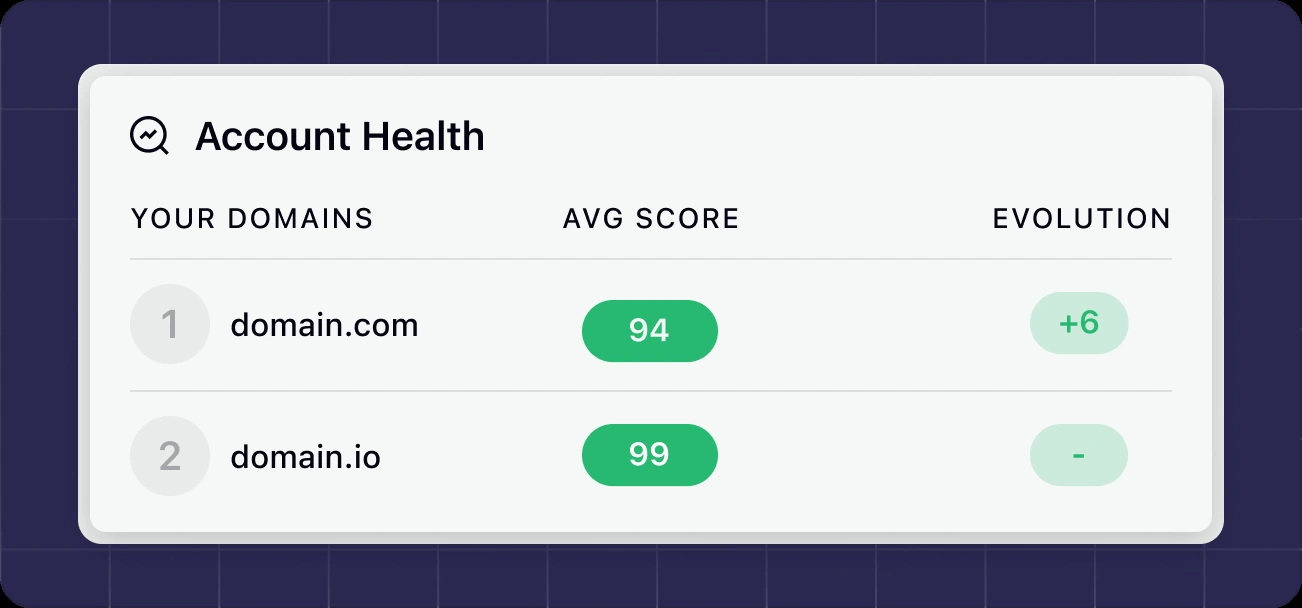
So the reputation score reports how MailReach's deliberately clean warming messages are treated, not a universal reputation measurement. It doesn't tell you how your actual email is treated.
MailReach is honest about this. It has a whole help article titled "Why I am still landing in spam while I have a high Reputation Score". In it, MailReach says: "You can have a perfect sender reputation and still land 100% in spam." Reputation is "not the only factor". Your content and your sending setup matter too. MailReach even says that in around 80% of cases it sees, the cause is links and tracking.
MailReach's suggested fix is a neat piece of detective work you can use with any spam tester:
- Run a spam test using exactly the same conditions as the campaign that went to spam
- Send a "100% innocent" version: plain text, no links, no tracking, no images, no signature, no first name
- If the innocent version lands in the inbox, the changed content is a likely contributor under those test conditions
- Add elements back one at a time (tracking, links, images, wording) and retest until you find the culprit
Common fixes it recommends include using a custom tracking domain, never using link shorteners like Bitly, reducing links, and rewording sensitive topics like money, loans, health and insurance.
MailReach Spam Test Review: The Underrated Half of the Product
If the warmup is why people buy MailReach, the spam test is why the smart ones stay.
How the MailReach Spam Test Works
The process is refreshingly hands-on:
- MailReach gives you a short code to paste into the body of your email. This lets it find your message across all the test inboxes
- You send the email to the list of addresses MailReach supplies, from your normal sending tool
- You click "Get your score" and see the results
MailReach's pitch is that you send to the inboxes yourself, rather than the tool forwarding a single copy around. Its page argues that "Sending the test email to multiple inboxes yourself is more reliable than sending it to a single one." Sending the test through your normal tool helps preserve that tool's sending setup, but the added test code and seed recipients still make this a test, not proof of every customer's inbox placement.
Its most useful piece of advice is a single line: test under the same conditions as your real campaign, using your sending tool and the same content. If your campaign goes out through a sequencer with tracked links, test through that sequencer with those links. Testing a cleaner email from a different tool tells you about a different email.
What the Spam Test Report Shows You
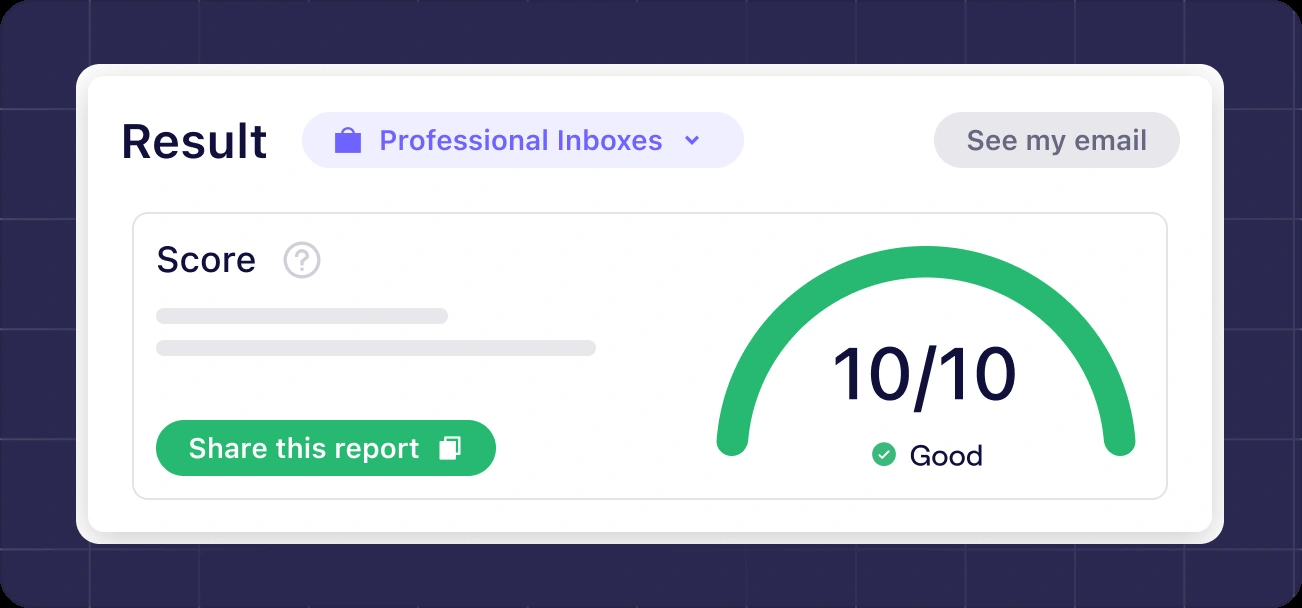
According to MailReach's spam test page, the report includes:
- Inbox placement across 30+ mailboxes at Google, Microsoft and Yahoo
- A spam score out of 10
- Content checks: spam words, blacklisted domains in your links, insecure or broken links, attachments, images, tracking pixels, HTML complexity and image-to-text ratio
- Setup checks: SPF, DKIM, DMARC, MX records, reverse DNS, domain age, and whether your domain or sending IP is on a blacklist
- Recommendations on what to fix
You can share reports with whoever needs to make the fixes (handy if your IT person or agency manages your DNS), and results can be exported to CSV.
Business Inboxes vs Personal Inboxes: A Genuinely Useful Split
Here's a detail I really like. MailReach's developer documentation shows that each spam test produces three scores:
- An overall score
- A B2B score for professional inboxes (Google Workspace and Microsoft 365)
- A B2C score for personal inboxes (Gmail.com, Outlook.com and Hotmail)
Why does that matter? Because the filters are different. MailReach's spam test page points out that an email can reach 100% of professional inboxes while still landing in spam at personal ones.
If you sell to businesses, the B2B score is the one to watch. If you email consumers, it's the B2C score. An overall average can hide the very result that matters to you.
How Much Is the MailReach Free Spam Test?
The free spam test is limited to up to 3 tests every 24 hours. Beyond that, you need spam test credits or a paid plan. One credit equals one inbox placement test with a full report.
The developer documentation adds a small but welcome detail: credits aren't charged if a test fails to collect results.
Try MailReach's free spam test and see your score
Automated Spam Tests and Alerts: Monitoring on Autopilot
A single spam test tells you about today. Automated tests tell you when something changes.
MailReach's documentation explains how it works. You send your template email once to a special test address. MailReach then uses the latest message received there as the template for every scheduled run. You can schedule tests daily or weekly, at a chosen hour in your own time zone, and on chosen weekdays.
A few details worth knowing before you switch it on:
- Each run uses one credit, whether it's scheduled or triggered manually
- Automated tests send from an account connected to MailReach, which may not be the same route as a campaign sent through a separate sequencer
- Runs are skipped if the account or domain has less than about 14 days of warming history, a built-in safety check
- Test-only accounts are possible. The documentation describes connecting an account for spam testing only, so it doesn't count as a warming seat
What Can MailReach Alert You About?
MailReach can send alerts to a Slack channel or a webhook. The documented events include:
- An account disconnecting
- A domain about to expire
- Changes to warming mode
- Missing inbound or outgoing warming emails
- Reputation going up or down
- Unusually high sending volume
- Delivery issues with SendGrid or Outlook
- An automated spam test completing
That "domain about to expire" alert alone could save a small business from a very bad week.
Connecting Your Mailbox: Easy for One, Admin Work for Many
MailReach says setup takes "less than 2 minutes" with no code. For a single mailbox, that's believable. For a whole team, there's more to it, and it's worth understanding the access you're granting.
Gmail and Google Workspace
For one or a few mailboxes, MailReach's guide uses a Google App Password. You turn on 2-Step Verification in your Google account, generate an App Password, and paste it into MailReach (not your normal password). If 2-Step Verification is missing from your settings, your Workspace admin may have disabled it.
For many mailboxes in one Workspace, MailReach offers Domain-Wide Delegation. This is a server-to-server connection: your admin creates a Google Cloud service account, authorises it in the Google Admin console and uploads its key to MailReach. It needs a Super Admin, all mailboxes must be in the same Workspace, and Google says authorisation changes can take up to 24 hours to apply.
Outlook and Microsoft 365
For Microsoft 365, users sign in through Microsoft. If your organisation restricts which apps users can approve, an administrator with the appropriate Microsoft Entra role needs to review and grant consent for MailReach in Microsoft Entra. MailReach's guide walks through both, and notes changes can take around 15 minutes to take effect. There's also a guide for bulk-connecting Office 365 accounts.
SMTP Providers: SendGrid, Mailgun, Amazon SES, Brevo and More
MailReach says it works with any provider that supports SMTP, and names Zoho, Brevo, Mailjet, Mailgun, SendGrid, Amazon SES, Sparkpost, Ionos and OVH. The help centre also has guides for Resend, GoDaddy (Office 365) and Builderall.
There's an important catch with SMTP connections. MailReach needs IMAP access to the inbox where replies to your sending address actually arrive. Without it, MailReach can't find replies, build conversations or hide warming emails. If your SMTP service has no inbox behind it, MailReach suggests a separate inbox to receive replies. Confirm that those replies are correctly routed and that any mailbox-based warming actually uses the sending service you need to assess.
Living With MailReach: The Problems You Might Hit (and the Fixes)
Every warmup tool runs into hiccups, because it depends on access to a live mailbox. MailReach's technical help section is a good sign that it takes this seriously. Here are the common ones.
"MailReach can't find inbound warming emails"
This usually means MailReach can't see the replies. MailReach's troubleshooting guide suggests a simple test: send a normal email to your warmed address from another mailbox and wait three minutes.
- If it bounces, read the full delivery error; an MX problem is only one possible cause
- If it never arrives, your MX records may point to the wrong provider, or there may be no inbox behind the address at all
- If it arrives, look for a rule deleting warming emails, or for IMAP details that point to the wrong inbox
"My account got disconnected"
MailReach lists the usual causes: a password change, an expired domain, an unpaid email provider bill, a temporary server error, or the provider suspending the account for spam. MailReach notifies you and tries to reconnect automatically within 60 minutes. If that fails, you reconnect manually or contact support through chat.
Blacklists
MailReach's blacklist article makes a calming point: being on a blacklist doesn't automatically mean you'll land in spam. Google mostly relies on its own signals, while Microsoft takes some blacklists into account. MailReach also says plainly that it can't remove you from a blacklist. You need to contact the blacklist owner. Note that this article dates from 2022.
Is MailReach Good for Newsletters, B2C or Transactional Email?
This is where MailReach's honesty is genuinely useful.
Its help article on B2C, newsletter, opt-in and transactional deliverability says: "Email warming doesn't really work for B2C / Newsletter emails." It explains that it's "nearly impossible to warm with personal inboxes", which is where most consumer email goes.
Instead, MailReach's advice for these senders is:
- Use a reputable email marketing provider (it names Brevo, Mailchimp and Mailerlite)
- Email only people who opted in, and remove those who rarely engage
- Keep spam complaints low and monitor them with Google Postmaster Tools
- Limit links, use a custom tracking domain and add a List-Unsubscribe header
- Set up SPF, DKIM and DMARC correctly
- Test real inbox placement with a spam test
So if you run an online shop or send a monthly newsletter, the warmup half of MailReach isn't really for you. The spam tester still is, and you can buy spam test credits on their own.
Can MailReach Fix a Damaged Sender Reputation?
If your domain has already been burned by a bad campaign, MailReach has a dedicated restoration guide (updated June 2024). It says restoration is "possible in 90% of the cases", but also that the time needed is impossible to predict and can run to weeks or months.
The guide's recipe is:
- Raise warming volume: switch off Autopilot and set both "Max sends per day" and "Starting volume" to the maximum of 35 conversations, which MailReach describes as 77 to 105 emails a day
- Stop sending campaigns from the damaged domain, for at least several weeks
- Consider backup domains for cold email, each set up with SPF, DKIM and DMARC and warmed for 14 days
- Change your sending practices (volume, follow-ups, list quality)
- Spam test your content and setup, because reputation isn't the only factor
The most important line in the whole guide is this one: MailReach can't fix bad sending practices. If you keep doing what damaged the domain, it'll happen again.
MailReach's Sending Limits Are Worth Copying Even If You Never Buy
MailReach's help centre is packed with specific, practical numbers. For cold email it recommends:
- No more than 100 cold emails per mailbox per day (120 is described as the absolute maximum, 80 or fewer is better)
- No more than 2 follow-ups, at least 3 days apart
- Its older help guidance gives a bounce-rate threshold under 5%; this is not a safe target or a substitute for stricter current provider requirements
- A clear, working unsubscribe link in every email
- Lists verified within the last 1 to 2 months
- One sending address per domain for cold outreach
These are MailReach's recommendations, not guarantees of safety, legal compliance or permission from your mailbox provider. Lower limits or stricter rules may apply. Follow current provider requirements and assess UK outreach obligations separately.
A Warning About MailReach's Google Suspension Advice
Not every help article has aged well, and one needs a clear warning.
MailReach's article on Google suspending a user (last updated June 2023) says there are "no consequences except having to reactivate the user", that a suspension "does NOT affect your sender reputation and deliverability", and that suspensions have never led to a permanent ban in its experience.
Google's own current guidance for Workspace admins is firmer. It says you can't restore an account that was suspended for abuse, and that accounts suspended for breaching Google's Terms of Service are unrecoverable, even by a Google administrator or Google Workspace support.
So if a mailbox gets suspended, don't treat it as a minor hiccup. Find out the stated reason, involve your Workspace admin and follow Google's guidance. A spam-related suspension is a reason to investigate your sending volume and practices, which, to be fair, MailReach's article also says.
MailReach API and AI Assistant Integration
If you're technical, or you run an agency, the API is a real plus.
According to MailReach's developer documentation:
- It's a REST API with JSON requests and responses
- The API itself is free; you pay for the things you use (warming seats and spam test credits)
- You can connect inboxes, run one-time and automated spam tests, pull daily statistics and manage alerts
- Confirm current rate limits before integration; this review has not verified the current limit or exercised API calls
- Idempotency keys aren't supported, so developers need to check for existing resources to avoid duplicates
MailReach also documents an MCP server for AI assistants. The developer page describes it as a tool for searching MailReach's API documentation. Its privacy policy separately describes an AI assistant connection limited to a single project, lasting at most 30 days, with request logs kept for 12 months, and says it doesn't use the data it receives to train AI models. Results passed to an AI assistant are handled under that AI provider's privacy policy, so treat that as a separate decision for your business.
MailReach Pricing (October 2026)
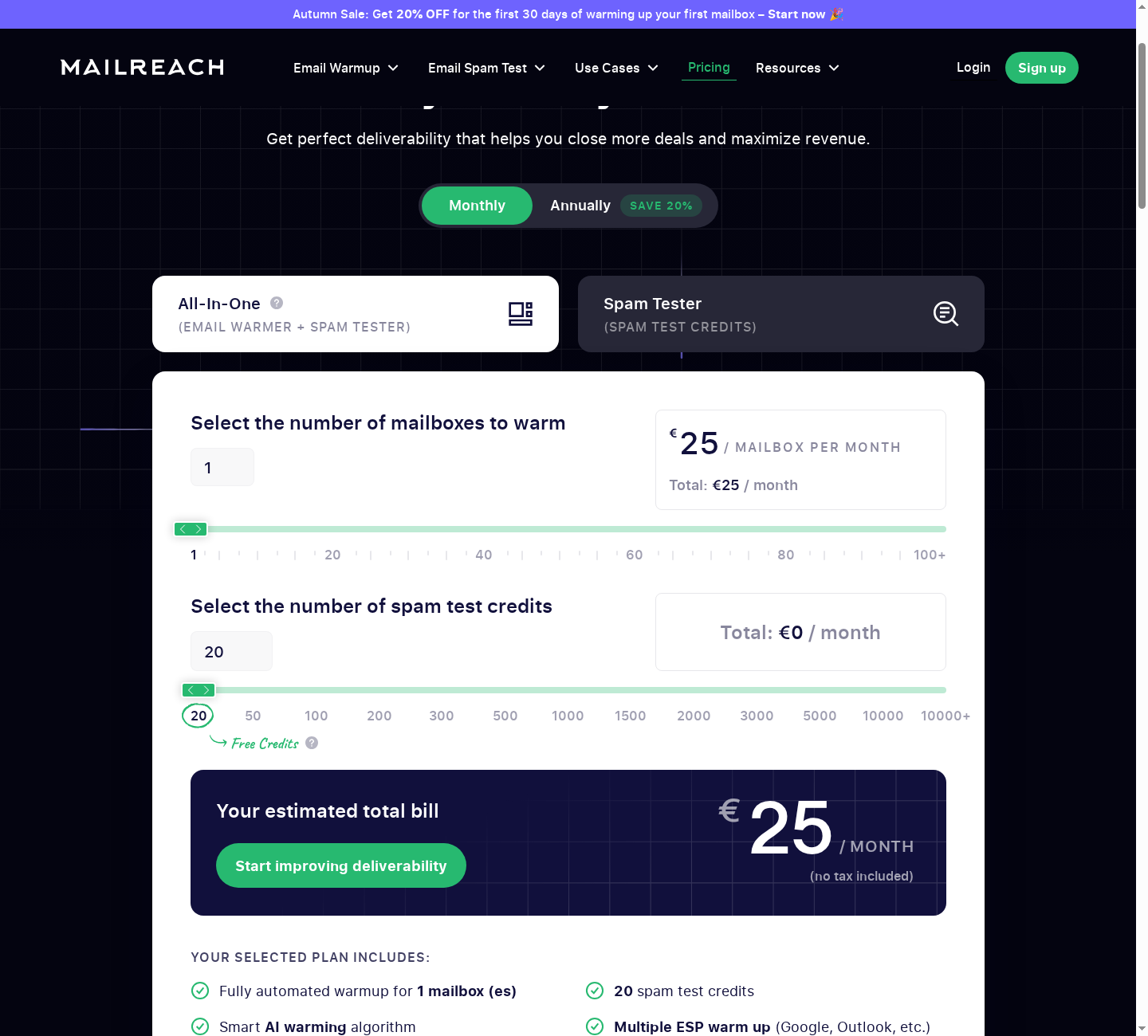
MailReach's pricing page uses sliders, so the price changes with mailbox count, spam-test credits and billing period. The figures below are browser-rendered observations from 13th October 2026, not a completed purchase. Prices exclude tax.
All-In-One (warmup + spam tester):
- €25 a month for one mailbox on monthly billing, with 20 spam-test credits included in the checked selection
- Annual billing displayed €20 per mailbox per month for the one-mailbox selection. This is a monthly equivalent; the final upfront charge and renewal terms were not independently verified
- Includes automated warmup, the reputation dashboard and domain/inbox health checks. Sales copy advertises up to 100 warming emails daily, while older help guidance uses different conversation and message counts
- The calculator offers volume-dependent pricing. Confirm the selected mailbox count and credit allowance rather than extrapolate a per-mailbox price
Spam Tester only:
- Separate credit options include monthly billing and pay as you go
- The captured monthly calculator showed 300 credits at €175.50, excluding tax
- Includes automated tests with Slack/webhook alerts, placement by provider, blacklist and DNS checks, links and spam-word checks, and test history
Free:
- The checked sales page advertised up to three free spam tests every 24 hours; eligibility and limits can change
A seasonal discount was advertised when checked. It is not a standing promise or confirmed affiliate offer; verify any discount at checkout.
| Option | What you get | Price observed (13th October 2026, excluding tax) |
|---|---|---|
| All-In-One, monthly | 1 mailbox + 20 spam-test credits in the checked selection | €25/month |
| All-In-One, annual | 1 mailbox, annual selection | €20/month equivalent; upfront bill unverified |
| Spam Tester, monthly example | 300 credits in the checked calculator | €175.50/month |
| Free spam test | Placement test under the advertised free allowance | Up to 3 per 24 hours; check current eligibility |
See MailReach's current warmup plans
Is MailReach Expensive?
For one or two outreach mailboxes, the useful cost comparison is the total for warming and the tests you will actually run. The checked one-mailbox All-In-One selection includes test credits; compare this with the current limits of any warmup-only alternative.
It gets more expensive per month as you scale up mailboxes, though the per-mailbox price falls. Agencies running dozens of mailboxes should compare the total against warmup tools that price by volume rather than by mailbox.
Things to Check Before You Pay
- Currency and tax: MailReach's terms say prices are in US dollars and exclude tax. The browser-rendered calculator displayed euros, so confirm the actual checkout currency and final amount rather than assume the terms' currency description matches the display
- Credits: the checked one-mailbox selection included 20 spam-test credits, but check whether they renew monthly and whether unused credits carry over
- Annual billing: the toggle shows a monthly equivalent, so confirm the actual upfront charge and renewal date at checkout
- Free trial: I couldn't find a free trial of the warmup in MailReach's pricing page or terms. The free spam test is the way to try it
Cancelling MailReach and Refunds
Read this before you pay, especially for monthly plans.
MailReach's terms say you can cancel at any time. Cancellation takes effect from the following month, and MailReach "will not refund the amount of the unused Plan paid for the month started." Amounts already paid are kept. The terms also say consumer withdrawal rights don't apply to the service.
The terms describe cancelling by disconnecting your email accounts in your MailReach account. Before you assume you've cancelled, check your billing area to confirm the subscription has actually ended, and keep a record.
If you're thinking about annual billing, ask MailReach in writing how cancellation works part-way through the year. The terms mainly describe monthly plans.
Privacy and Data: What You're Agreeing To
Because MailReach needs access to your mailbox, it's worth a quick look at the data side.
MailReach's terms say you keep full ownership of your data, that it uses and stores data only to provide the service, and that it won't sell, rent or share your data with third parties without your consent.
The privacy policy names Stripe for payments (it says card details are never stored on MailReach's own servers), Google Analytics for website tracking, and OpenAI and Anthropic as AI providers. It says MailReach uses the first and last name of your connected account to personalise warmup emails. The spam test page also notes MailReach has to store emails to produce your reports.
What's missing: the privacy policy doesn't give retention periods for most data, doesn't say where data is hosted, and doesn't list a data protection officer. If you handle sensitive client data, use non-sensitive test content and ask MailReach these questions before connecting accounts.
What Do Other MailReach Users Say?
MailReach's website displays customer reviews and third-party rating badges. This review has not independently verified a current G2 review count or rating, so those figures are not presented as a confirmed October 2026 finding.
MailReach's website also features named customer testimonials. Some report big improvements, such as an agency CEO saying deliverability went from 35% to 92% within a week or two, and a growth lead saying cold email open rates doubled. The checked pricing page claims 67% average open rates and 19% average revenue growth. These are marketing figures, not results measured by SenderCompass.
Treat those as what they are: customer stories and figures chosen by MailReach. Your results depend on your list, your copy, your sending setup and your volume.
MailReach vs the Alternatives
MailReach vs GlockApps
These two get compared a lot, but they lean in different directions.
- MailReach combines warmup with spam testing. Its spam test's B2B and B2C scores are excellent for outreach teams
- GlockApps is a deliverability diagnostics suite: inbox placement testing across many providers, plus dedicated DMARC Analytics and uptime and blocklist monitoring, but no warmup network
If you send cold outreach and want warmup and testing in one place, MailReach is the more natural fit. If you're a small business trying to work out why emails from several different tools (your mailbox, invoicing software and newsletter platform) aren't arriving, GlockApps' DMARC reporting gives a wider view. See our full GlockApps review and our ranking of the best email deliverability tools for small businesses.
Interestingly, MailReach's own comparison page criticises GlockApps for not having a balanced ratio of personal and professional inboxes in its tests. That's MailReach's claim, not an independent finding, but it does show what MailReach thinks its spam test does better.
MailReach vs Lemwarm, Warmup Inbox and Other Warmup Tools
MailReach's comparison page positions it against several warmup tools. It says Lemwarm relies on templated, industry-specific warmup, that Warmup Inbox uses templates and caps reply rates by price, and that Folderly is "not cost-effective" at over $70 per mailbox. Again, these are MailReach's own claims.
What's genuinely different about MailReach, based on its documentation, is the combination of a large Google Workspace and Office 365 network with a real multi-inbox spam test in the same account.
MailReach vs TrulyInbox
TrulyInbox focuses on warmup, and its pricing is based on warmup volume across many connected accounts rather than per mailbox. That can suit agencies with lots of inboxes, subject to the current plan's warming-volume limits. MailReach's advantage is its built-in seed-based spam test, which shows where your real emails land rather than just reporting on warmup activity.
MailReach vs Mail-Tester
Mail-Tester is a quick, free content and setup check: you send one email to one address and get a score. MailReach's spam test sends to 30+ real inboxes and shows actual placement. MailReach's own B2C guidance goes as far as saying tools like Mail-Tester are mostly unhelpful for measuring placement because "You CAN'T measure deliverability if you don't send an email." For a quick DNS sanity check, Mail-Tester is fine. For placement, you need a seed test.
| MailReach | GlockApps | TrulyInbox | Mail-Tester --- | --- | --- | --- | --- Main job | Warmup + spam test | Deliverability diagnostics | Warmup | Quick content and setup check Warmup network | Yes, 30,000+ inboxes | No | Yes | No Seed inbox placement test | Yes, 30+ inboxes | Yes, many providers | Warmup reporting only | No (single address) B2B vs B2C scoring | Yes | Results by provider | No | No DMARC reporting | Setup checks in tests | Yes, dedicated DMARC Analytics | No | Checks records Best for | Cold and sales outreach | Diagnosing business email problems | Warming many mailboxes | Free quick check
Who Should Buy MailReach?
MailReach is a strong choice if you are:
- A founder or salesperson sending cold or sales email from Google Workspace or Microsoft 365
- An agency or lead generation business managing many outreach mailboxes, especially if you'll use the API and alerts
- A recruiter emailing candidates and clients at volume
- Launching a new outreach domain and want to warm it properly before sending
- Anyone who wants to test real inbox placement before a campaign, and see business and personal results separately
Who Should Skip MailReach (or Just Use the Spam Tester)?
- Newsletter, ecommerce and B2C senders: MailReach itself says warming doesn't really work for these. Buy spam test credits only, or look at a diagnostics tool
- Businesses with one missing invoice or a single email problem: start by checking the bounce message and your authentication setup. You may not need a subscription at all
- Anyone hoping warmup will cover for poor sending practices: MailReach is clear that it can't fix bad habits
- Organisations that can't grant mailbox access to a third party: warmup needs that access. If your IT policy says no, the spam tester can still be used without warming
How to Get the Most From MailReach in Your First 30 Days
If you decide to go ahead, here's a sensible plan based on MailReach's own guidance:
- Run the free spam test first on your current campaign email, under real sending conditions. Save the report as your "before"
- Check your basics: SPF, DKIM and DMARC set up for your sending domain, plus a custom tracking domain if your sending tool uses tracked links
- Connect one mailbox using the method your admin approves, and leave it on Autopilot
- Don't send campaigns for at least 14 days if the mailbox or domain is new
- Agree an inbox rule policy: warming emails get archived, never deleted
- Watch the reputation score after 72 hours, but don't treat it as a green light on its own
- Spam test your real campaign email before you launch, and check the B2B or B2C score that matches your audience
- Set up alerts for disconnections, domain expiry and reputation drops, and decide who responds
- Keep warmup running while you send, and follow your provider's current policies; MailReach's suggested volumes are not safe-send guarantees
- Re-test after every change to your content, links or sending tool
MailReach Review FAQs
Is MailReach legit?
Yes. MailReach is run by THE BRAIN COMPANY, a registered French company based in Paris, has published terms, a privacy policy, a detailed help centre and developer documentation. That supports the existence of an operating business, not a guarantee of effectiveness or account safety.
Is MailReach safe to use?
It follows the normal approach for warmup tools: it needs permission to send, read and file email in your mailbox. MailReach's terms say you must respect your email provider's terms of use. For Google Workspace and Microsoft 365, have an admin review and approve the access, and keep to sensible sending volumes.
Does MailReach have a free trial?
I couldn't find a free trial of the warmup on MailReach's pricing page or in its terms. MailReach does offer a free spam test (up to 3 tests every 24 hours), which is the easiest way to try it.
How long does MailReach take to warm up an email?
MailReach recommends at least 14 days of warming for a new mailbox or domain before sending campaigns. You'll see a first reputation score after 72 hours. Repairing a damaged domain can take weeks or months.
What is a good MailReach reputation score?
MailReach's guide treats 95 or above as a sign your volume is fine, and below 60 as needing its restoration guide. Remember that the score is based on clean warmup emails, so also spam test your real campaigns.
Why am I landing in spam with a high MailReach score?
Because the score measures warmup emails that contain no links, images or tracking. Your real email probably does. MailReach says links and tracking cause around 80% of these cases. Use its "innocent email" testing method to find the culprit.
Does MailReach work with Outlook and Microsoft 365?
Yes. You connect through Microsoft sign-in. Some organisations need an administrator to allow user consent or grant admin consent first. MailReach also supports bulk connection of Office 365 accounts.
Does MailReach work with SendGrid, Mailgun or Amazon SES?
Yes, through SMTP. You'll also need to connect, via IMAP, the inbox where replies to your sending address arrive.
Can I cancel MailReach and get a refund?
You can cancel at any time, but MailReach's terms say the month already started isn't refunded and cancellation applies from the following month.
Does email warmup actually work?
MailReach says warmup can support the reputation of business mailboxes used for outreach, especially at Google Workspace and Microsoft 365. This research review has not independently measured that effect. It's not a fix for poor content, bad lists or excessive volume, and MailReach says it doesn't really work for B2C or newsletter email. Use it alongside a spam test and good sending habits.
Final Verdict: Is MailReach Worth It?
For B2B senders, yes. MailReach earns its 8.6 out of 10 because it pairs two things that rarely come together this well: a warmup network built around the business providers your prospects use, and a spam test that shows where your real email lands, split into business and personal results.
What stands out in the documentation is the explanation of its limitations. It was the honesty in MailReach's own help centre. It tells you a high reputation score can still mean spam. It tells you warmup doesn't really work for newsletters. It tells you it can't fix bad sending habits. A tool that's that clear about its limits is a tool you can actually plan around.
Use the warmup to build and protect your mailbox's reputation. Use the spam test before every campaign. Keep your volumes sensible. Those habits make its reports more useful, but they cannot guarantee inbox placement or replies.
The easiest way to find out if it's right for you costs nothing: run your next real campaign email through MailReach's free spam test and look at your B2B and B2C scores. If the results show problems, you'll have evidence to investigate rather than a guarantee of one particular fix. If you're about to launch a new outreach domain, start the 14-day warmup before you need it, not after your replies dry up.